
From budget-friendly WiFi 7 options to whole-home mesh systems that cover thousands of square feet, these are the routers worth buying right now
-1920x1276.jpg)
Misha Feshchak / Unsplash
The home router has quietly become one of the most consequential pieces of hardware. Every video call, cloud backup, smart thermostat ping, 4K stream, and competitive gaming session runs through it, putting this single piece of equipment under increasing pressure. A router bought five years ago may still technically work. But is it keeping up?
The market is also shifting in ways that matter for buyers. In March 2026, the Federal Communications Commission effectively banned the sale of new consumer routers made by foreign manufacturers in the U.S., citing national security concerns linked to documented network intrusions. Models already on the market remain available for purchase, but the pipeline of new products will narrow. Tariffs on networking hardware have also contributed to price swings, making it worth monitoring deals on models that are already available and tested.
Two form factors dominate the current market: traditional single-unit routers and multi-node mesh systems. Single-unit routers deliver faster peak throughput in smaller spaces because all computing resources are concentrated in one device. Mesh systems distribute coverage through two or more nodes, making them a good fit for multi-story homes or layouts with thick walls and dead zones. Many newer mesh systems allow buyers to start with a single node and add more later.
The sources cited here — including Consumer Reports, Tom's Guide, Tom's Hardware, TechRadar, and Dong Knows Tech — conducted hands-on performance testing in real homes to determine which routers stand out. The 15 picks that follow span budget, mid-range, and premium categories and cover most of the meaningful use cases a home network buyer will encounter.
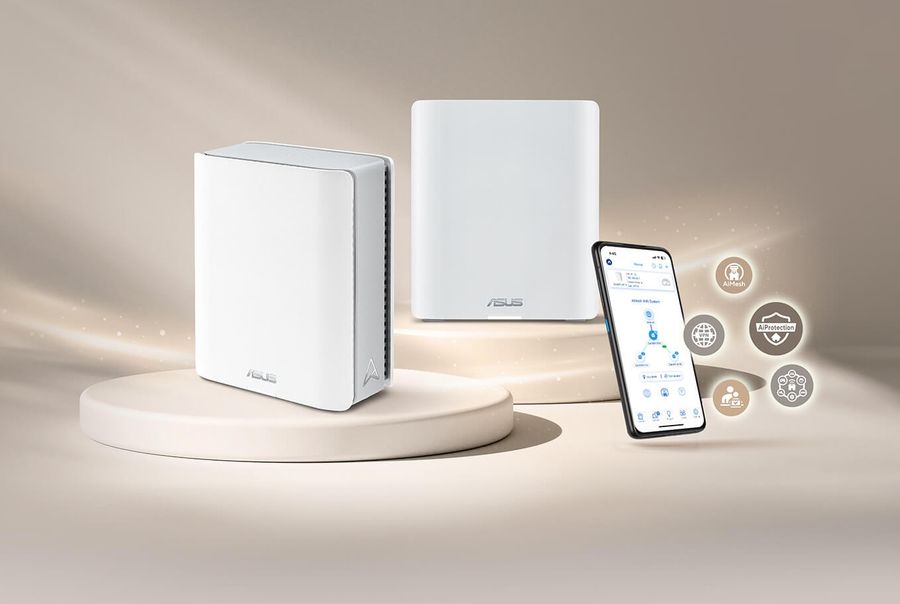
Credit: Asus
Consumer Reports ranks the Asus ZenWiFi BT8 2-pack among its top-rated mesh routers. This is a tri-band WiFi 7 system that uses all three frequency bands — 2.4GHz, 5GHz, and 6GHz — to deliver consistent performance across a large home, and it does so at a more manageable price than Asus's own higher-end mesh offerings.
Each BT8 node runs on an ARM Cortex-A73 processor with 1GB of RAM. The architecture represents a substantial internal upgrade over earlier Asus mesh systems like the ZenWiFi XT8, offering roughly two to three times the processing speed according to hardware reviewers. Each unit features dual 2.5Gbps Ethernet ports — one for WAN, one for LAN — alongside two standard gigabit ports. Two USB 3.0 ports per node support external storage, printer sharing, or mobile internet tethering as a backup connection.
The BT8 2-pack is rated to cover up to approximately 5,900 square feet, making it well suited for larger suburban homes or two-story layouts with multiple dead zones. Three-pack configurations covering up to around 8,850 square feet are also available. Setup runs through the Asus app, which guides users through QR code scanning and automatic node pairing — a process that most reviewers found straightforward even for users with limited networking experience.
The system supports WiFi 7's Multi-Link Operation, 320MHz channels, and 4K-QAM — the full set of performance features introduced by the standard. On the 6GHz band, the BT8 delivers download speeds exceeding 2Gbps at close range in testing. As with all 6GHz performance, speeds decrease with distance, but the 5GHz band maintains solid throughput at longer ranges.
Unlike some competitors, Asus includes its AiProtection Pro security suite — which provides commercial-grade threat detection — at no additional subscription cost. The same applies to the AdaptiveQoS traffic management feature, which prioritizes bandwidth-sensitive tasks like video calls over background traffic. For households where someone works from home, or where multiple people stream or game simultaneously, that kind of intelligent traffic handling is more than a luxury.
One trade-off compared to the pricier ZenWiFi BT10: the BT10 includes 10Gbps Ethernet ports; the BT8 tops out at 2.5Gbps. For most home internet plans — including multi-gigabit fiber connections at 2Gbps or below — the BT8's ports are fast enough. Those with higher-tier plans or heavy local file-transfer needs may want to step up.
The BT8 2-pack carries a retail price of around $599, with the 3-pack at roughly $899. Street prices and sale prices can run meaningfully lower. For households that want a capable, full-featured WiFi 7 mesh system without paying for the absolute top of the market, this is one of the most well-rounded options currently available.
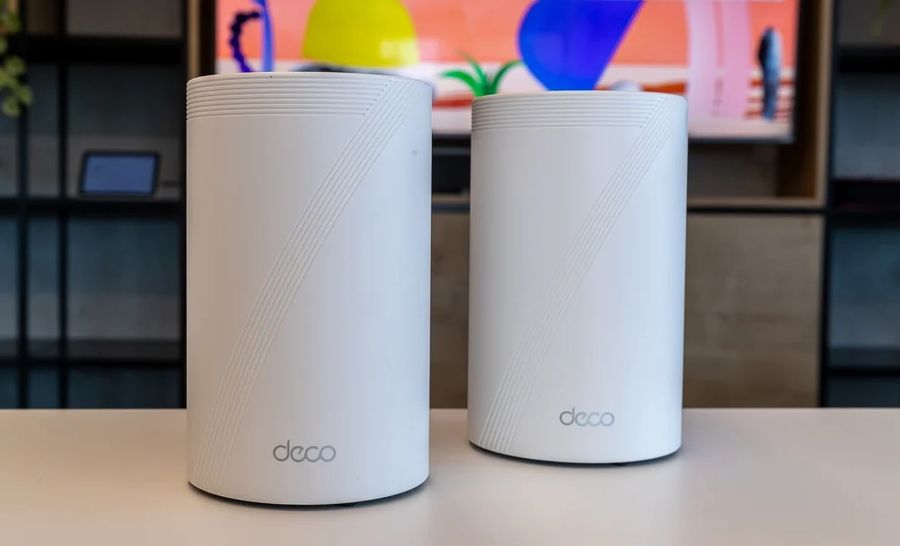
Credit: PC Mag
Consumer Reports also highlights the TP-Link Deco BE22000 among its top mesh picks. Known in some markets as the Deco BE85 or Deco 7 Elite BE22000 — TP-Link reorganized its product naming conventions in early 2026 — this is one of the most powerful mesh systems available to residential buyers.
The BE22000 designation refers to the system's aggregate theoretical throughput across all bands. The 6GHz band alone is rated at up to 11.5Gbps, the 5GHz band at 8.5Gbps, and the 2.4GHz band at 1.3Gbps. Those numbers reflect theoretical maximum conditions rather than typical real-world use, but the hardware architecture behind them is genuine. Each node includes a quad-core processor, eight high-gain antennas, and dual internal cooling fans to manage the thermal load at sustained high performance.
Port connectivity is where this system separates itself from most of the competition. Each node provides two 10Gbps Ethernet ports, one SFP+ fiber-to-Ethernet conversion port (for direct fiber connections), two 2.5Gbps Ethernet ports, and a USB 3.0 port. That level of wired connectivity is unusual outside business-class networking equipment, and it means the Deco BE22000 can fully utilize multi-gigabit or even 5Gbps fiber plans without any hardware ceiling at the router level.
The 2-pack is rated for up to approximately 6,300 square feet of WiFi coverage, with the 3-pack extending that to around 9,500 square feet. The system supports wired backhaul — connecting nodes via Ethernet cable — which preserves full wireless bandwidth for client devices rather than consuming part of the spectrum for inter-node communication. For users who can run an Ethernet cable between floors or rooms, wired backhaul provides a meaningful performance benefit.
Setup runs through the TP-Link Deco app, which walks users through initial configuration step by step. Reviewers have consistently found the process straightforward. Ongoing management — including parental controls, device prioritization, and guest network configuration — is handled through the same app or via a web interface.
Security on the BE22000 runs through TP-Link's HomeShield platform. A basic tier is included; an expanded tier with additional threat protection and advanced parental controls requires a subscription. One consideration for buyers: that ongoing subscription cost contrasts with Asus's AiProtection, which is included for the life of the device.
Retail pricing on the 2-pack runs around $700 to $800, reflecting both the system's capabilities and the current premium on high-end WiFi 7 hardware. It is a significant investment, but for large homes where multi-gig internet plans are in play and wired backhaul is possible, it represents the top end of what residential mesh networking currently offers.
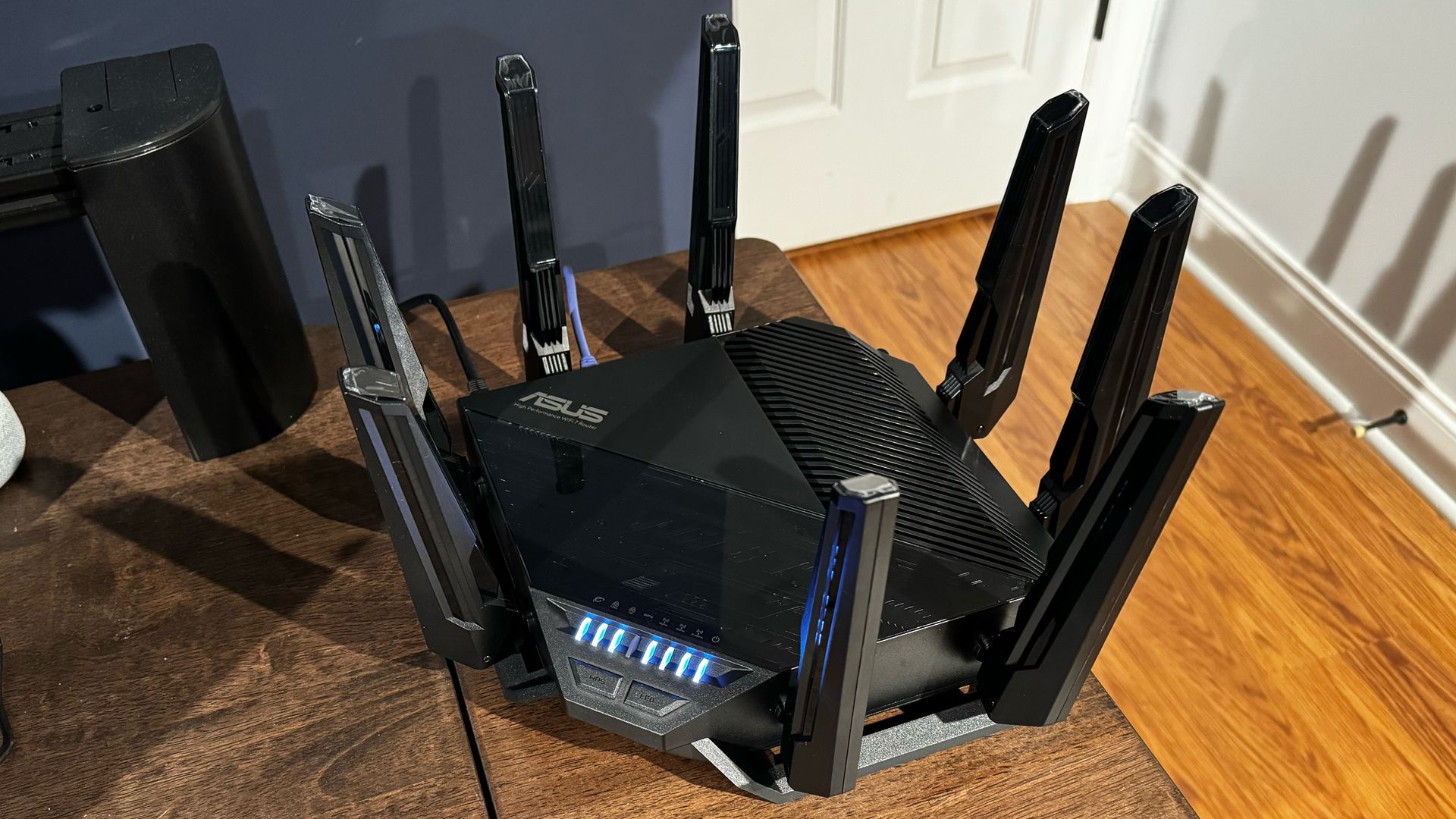
Credit: Tom's Hardware
The Asus RT-BE96U has become a consensus top pick among reviewers for households that want a powerful WiFi 7 router in a single unit rather than a multi-node mesh system. Tom's Guide, Tom's Hardware, and HighSpeedInternet.com all recommend it at or near the top of the standalone router category.
The RT-BE96U is a tri-band router operating on 2.4GHz, 5GHz, and 6GHz bands, with an aggregate throughput designation of BE19000. Its most significant hardware feature is dual 10Gbps Ethernet ports — one as a WAN input and one as a LAN port for wired device connections. Three additional 1Gbps LAN ports handle standard wired clients. Two USB 3.0 ports support external storage and printer sharing. Coverage is estimated at up to 5,400 square feet.
Eight external antennas give the RT-BE96U a recognizable silhouette — reviewers have noted its resemblance to something from the arachnid family — and deliver strong signal range. Tom's Guide testing found excellent range at long distances, with the router maintaining useful throughput farther than many competitors. At close range, 6GHz performance is competitive with other top-tier WiFi 7 hardware.
The feature set is unusually broad for a consumer router. Asus includes AiProtection Pro security at no ongoing cost, parental controls, a traffic analyzer, AdaptiveQoS for bandwidth prioritization, and — unusually for a consumer product — site-to-site VPN connectivity. The router can function as both a VPN client and a VPN server, which matters for users who want to securely connect devices outside the home to the local network, or who want to route home traffic through a VPN provider. Printer sharing support, which has largely disappeared from consumer routers in recent years, is also included.
HighSpeedInternet.com's reviewer called the RT-BE96U their top standalone router pick for 2025, noting it provides more features per dollar than most alternatives in its class despite the $700 price tag. One caveat that has appeared in user reviews: a small number of owners encountered connectivity issues with specific devices, particularly related to WiFi 7 band compatibility. Firmware updates have addressed some of these concerns, and Asus has a strong track record for ongoing firmware support.
For a home under 2,500 square feet where a well-positioned router can provide full coverage, and where the user has multi-gig internet or significant local network activity, the RT-BE96U delivers capabilities that most competing single-unit routers at the same price cannot match.

Credit: eero
Amazon $AMZN's eero Pro 7 brings WiFi 7 to the mesh router category at a price point well below the flagship hardware from Asus and TP-Link. The single-unit price is around $300, a 2-pack runs approximately $550, and the 3-pack — covering up to 6,000 square feet — is priced at roughly $700. Consumer Reports includes the eero Pro 7 in its ratings, and it appears on best-of lists from Gizmodo, CNN Underscored, and Tom's Guide.
The Pro 7 is a tri-band system operating on 2.4GHz, 5GHz, and 6GHz — giving it access to the uncongested 6GHz band that distinguishes it from the cheaper, dual-band eero 7. Each unit runs on a quad-core 1.5GHz processor with 1GB of RAM. Port connectivity includes two autosensing 5Gbps Ethernet ports per unit, which supports multi-gig internet plans. Each unit covers approximately 2,000 square feet, giving the 3-pack solid whole-home coverage for most suburban homes.
The eero's defining characteristic as a product line is ease of use. Setup runs entirely through the eero app, with a process that reviewers consistently describe as among the simplest in the category. Adding additional units to an existing network requires a few taps in the app; switching the gateway unit can be done without reconfiguring devices or changing network passwords. For households where technical simplicity matters as much as raw performance, that approach is substantive.
The Pro 7 supports WiFi 7's Multi-Link Operation and 320MHz channels. Tom's Guide testing found particularly strong 6GHz performance at close range, though long-range 2.4GHz performance was described as inconsistent in some conditions. For most homes — where the majority of devices operate within reasonable range of a node — that tradeoff is unlikely to be a day-to-day issue.
The platform's biggest limitation involves subscription gating. Features including parental controls with content filtering, advanced security threat detection, and built-in VPN access require an eero Plus subscription, which costs around $10 per month or $100 per year. The core network functions — fast WiFi, automatic firmware updates, easy management — work without a subscription. But buyers who want the full feature set should factor that ongoing cost into the total price of ownership.
For households looking for a reliable, whole-home WiFi 7 system that installs quickly and stays out of the way, the eero Pro 7 is a strong option, particularly at its frequent sale prices.
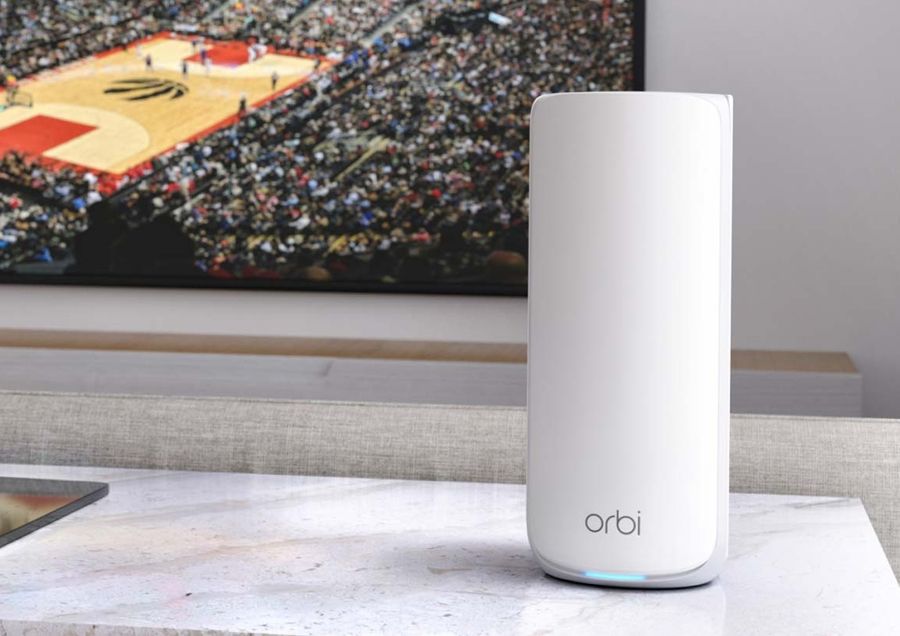
Credit: Tom's Guide
The Netgear Orbi 870, sold in the U.S. as the RBE873 in its 3-pack configuration and as a 2-pack for smaller homes, is the midpoint of Netgear's current WiFi 7 mesh lineup. It sits below the higher-performance Orbi 970 series and above the more compact Orbi 770, and Consumer Reports lists it among its top-rated mesh routers.
The Orbi 870 is a tri-band WiFi 7 system with an aggregate throughput rating of BE21000 across all bands. Each unit runs on a quad-core 1.5GHz processor with 2GB of RAM. The router unit includes one 10Gbps WAN port and four 2.5Gbps LAN ports; satellite units also provide four 2.5Gbps LAN ports each. That port density — four wired connections per satellite — is unusual and useful for homes where entertainment centers, gaming setups, or home offices are located away from the main router. There is no USB port, which is a notable omission compared to some competitors.
Tom's Guide testing found the Orbi 870 delivered strong performance at medium and long ranges, which aligns with Netgear's traditional strength in the mesh category. The system uses all of WiFi 7's headline features — 320MHz ultra-wide channels, 4K-QAM signal encoding, and Multi-Link Operation — for devices that support the standard.
Coverage is rated at approximately 5,000 square feet for a 2-pack and up to 9,000 square feet for the 3-pack, comfortably covering large single-family homes. Setup runs through the Orbi app. Users with previous Orbi systems will find the experience familiar. Security is provided through Netgear Armor, powered by Bitdefender, which includes real-time threat detection, automatic firmware updates, and device-level protections. A 30-day trial is included; continuing access requires a paid subscription.
The Orbi 870 2-pack retails around $700. At that price, it competes with eero Pro 7's 3-pack, which covers more square footage for a comparable cost. The Orbi's advantage is its LAN port density per satellite and its strong medium-to-long range performance. For homes with significant wired device needs distributed across multiple rooms, that difference is worth examining.
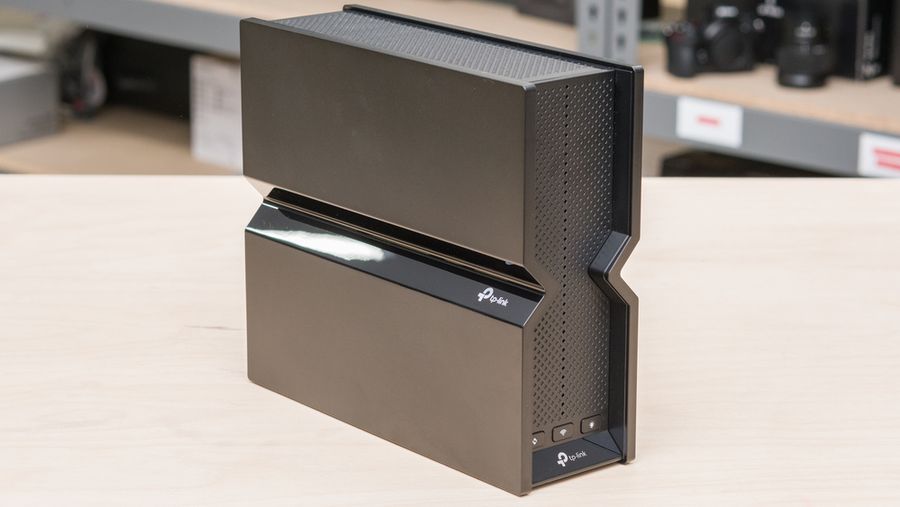
Credit: RTINGS
For buyers who want a full-featured tri-band WiFi 7 single-unit router without the four-figure price tags at the top of the market, the TP-Link Archer BE550 has attracted consistent praise from reviewers as the sweet spot of the current standalone WiFi 7 lineup. It retails around $200 and frequently appears on sale for less.
The BE550 is a BE9300 router, meaning its aggregate theoretical throughput tops out at around 9.2Gbps across all three bands: approximately 5.76Gbps on 6GHz, 2.88Gbps on 5GHz, and 574Mbps on 2.4GHz. It supports the full WiFi 7 feature set — Multi-Link Operation, 320MHz channels, 4K-QAM — across all three bands, including the uncongested 6GHz. A quad-core 2.2GHz processor and 1GB of RAM give the router ample headroom for demanding home networks. A newer hardware revision uses a 1.8GHz quad-core processor with the same RAM; performance differences between revisions have been modest in testing.
The wired port configuration is the BE550's standout feature at its price point. Four 2.5Gbps LAN ports — not the single multi-gig port common on similarly priced hardware — mean the router can simultaneously serve multi-gig speeds to multiple wired devices without a separate switch. Expert Reviews (U.K.) called the BE550 "fantastically well specified" at its price, noting that its tri-band wireless and multi-gigabit Ethernet coverage outclasses competing hardware that costs significantly more. Dong Knows Tech echoed that assessment, calling it "solid Wi-Fi 7 on the cheap."
TP-Link's HomeShield security platform is included with a free basic tier covering network security scans and simple URL filtering; advanced parental controls and more detailed threat monitoring require a paid subscription. VPN client and server support is included at no cost. The router is also EasyMesh-ready, meaning it can be paired with other compatible TP-Link devices if coverage needs to expand beyond a single unit.
One honest trade-off: the BE550's 6GHz coverage, while fast at close range, has been noted by some reviewers to drop more steeply through walls than on the 5GHz band. For a single-story home or apartment, this is rarely an issue. For multi-story homes with thick construction, a mesh system may still be a better call. Within its intended use case — a well-built single-unit router for a home where one access point provides sufficient coverage — the Archer BE550 is among the most capable options at its price.
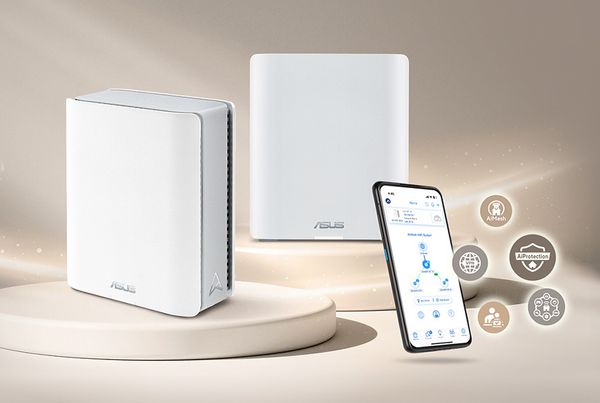
Credit: Asus
Consumer Reports includes the Asus ZenWiFi BT6 in its router ratings. Among Asus's current WiFi 7 mesh lineup, the BT6 sits below the BT8 in the hierarchy — it offers a lower entry price while retaining the same core WiFi 7 feature set, making it a compelling option for households that want tri-band coverage without the BT8's premium.
Like the BT8, the ZenWiFi BT6 operates on all three bands — 2.4GHz, 5GHz, and 6GHz — and supports Multi-Link Operation and 4K-QAM. The aggregate throughput rating of up to 9.4Gbps across bands reflects a strong wireless spec for the price tier. Seven internal antennas per node eliminate the multi-arm external antenna design common on higher-end routers, giving the BT6 a cleaner, less obtrusive appearance that blends more easily into living spaces.
Port connectivity per node includes one 2.5Gbps Ethernet port and two standard gigabit ports — three Ethernet connections total. That is less than the BT8's four ports per node, and the single multi-gig port means users with multi-gig internet should take care to confirm whether 2.5Gbps is sufficient for their plan. For most households on gigabit or lower plans, the port configuration is entirely adequate.
The 2-pack is rated to cover up to 5,800 square feet, placing it in the same general range as the BT8 2-pack. The BT6 is AiMesh-compatible, meaning it can be expanded with other Asus routers or upgraded to a larger configuration without replacing the existing hardware. As with all Asus ZenWiFi systems, AiProtection Pro is included at no ongoing subscription cost — threat detection, parental controls, and network monitoring are available without a recurring fee.
Retail pricing for the BT6 2-pack runs around $300, roughly half the BT8 2-pack's price. The street price has dropped to $150 to $200 in sale conditions, which reviewers have flagged as strong value for a tri-band WiFi 7 mesh system. The primary trade-off relative to the BT8 is port speed and the step down in processing architecture.
For buyers who want to step into Asus's mesh ecosystem with a full-featured WiFi 7 system and the no-subscription security approach — but who do not need the BT8's higher port speeds — the ZenWiFi BT6 is a well-equipped option at a more accessible price.
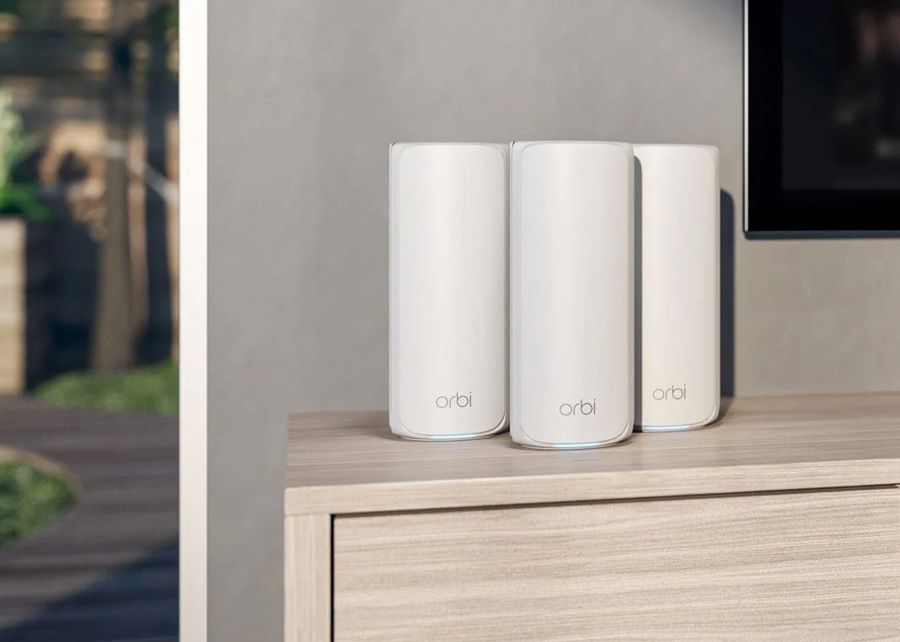
Credit: Netgear
The Netgear Orbi 770 series occupies the more accessible end of Netgear's WiFi 7 mesh lineup. The 3-pack — sold as the RBE773 — brings tri-band WiFi 7 coverage to large homes at a meaningfully lower price than the Orbi 870. Consumer Reports lists the Orbi 770 series among its top-rated mesh systems.
The 770 is a BE11000 system, combining approximately 5.76Gbps on the 6GHz band, 4.32Gbps on 5GHz, and 688Mbps on 2.4GHz for a theoretical aggregate. Like all Orbi WiFi 7 systems, it supports 320MHz channels, Multi-Link Operation, and 4K-QAM. Each unit is smaller and lighter than the Orbi 870, which affects both placement flexibility and — according to some reviewers — long-range signal strength. Tom's Guide noted good mesh performance at mid-range distances, consistent with the system's position in Netgear's lineup.
Port connectivity on the Orbi 770 uses 2.5Gbps WAN and LAN ports rather than the 10Gbps WAN on the Orbi 870. For homes with internet plans at 2.5Gbps or below — the majority of residential connections even on fiber — that ceiling is unlikely to be a practical limitation. Each unit provides three downstream wired Ethernet ports, which Tom's Guide noted as a constraint compared to the four-port-per-satellite configuration on the 870.
The 3-pack is rated to cover up to approximately 8,000 square feet and supports around 100 connected devices. Dong Knows Tech reviewed the 770 as a solid, straightforward system that performs as intended for homes with modern WiFi 7 devices on sub-2.5Gbps broadband, calling it a much better deal than the higher-end 970 series at roughly a third of the cost. Setup runs through the Orbi app, consistent with other Orbi products. Netgear Armor security powered by Bitdefender is included with a 30-day trial; continued access requires a subscription.
Retail pricing for the 3-pack runs around $500 to $600. That positions it significantly below the Orbi 870 3-pack while delivering similar coverage square footage. For buyers who want Netgear's mesh ecosystem with whole-home WiFi 7 coverage but do not need 10Gbps WAN or the 870's higher per-satellite port count, the Orbi 770 series is the more straightforward value in Netgear's current lineup.
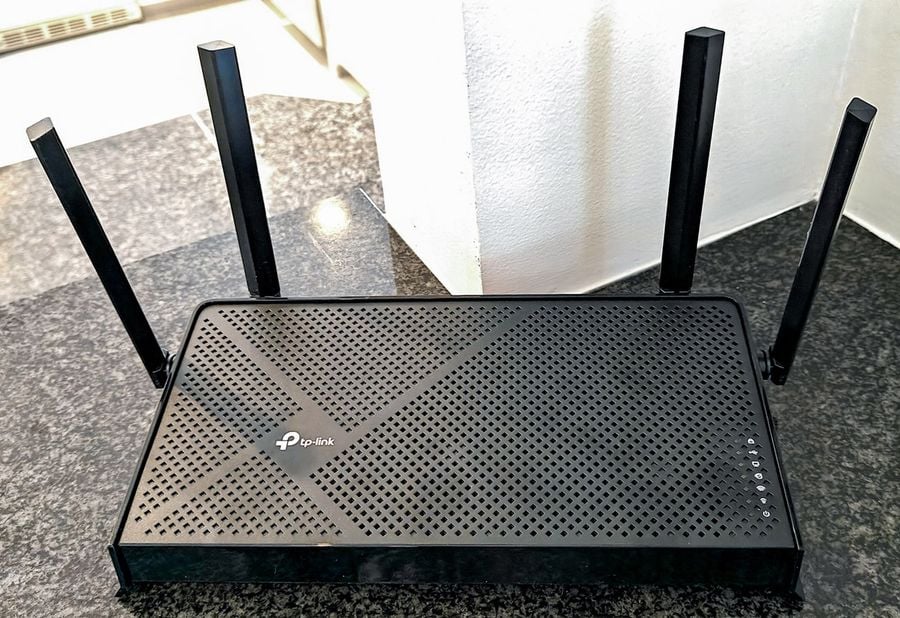
Credit: Tom's Guide
Entry-level WiFi 7 arrived at an inflection point when TP-Link launched the Archer BE3600 — also available under the variant model name Archer BE230 — as one of the first WiFi 7 routers priced under $100. The current street price has settled around $87 to $100 at major retailers including Walmart $WMT and Amazon $AMZN.
The BE3600 is a dual-band router — it operates on 2.4GHz and 5GHz but omits the 6GHz band. That is a real limitation relative to more expensive WiFi 7 hardware, and it means the router cannot access the uncongested 6GHz spectrum that provides the biggest performance advantages in dense device environments. For households in single-family homes with reasonable device counts and internet plans at or below 1Gbps, that limitation rarely surfaces as a practical problem.
What the BE3600 does provide is WiFi 7's Multi-Link Operation feature, 4K-QAM signal encoding, and two 2.5Gbps Ethernet ports — one for WAN, one for LAN — alongside three standard gigabit LAN ports and a USB 3.0 port. The 2.5Gbps WAN port means the router can handle multi-gig internet connections without being bottlenecked at the hardware level, which is more than some older WiFi 6 routers can claim.
TechGearLab testing measured 5GHz throughput averaging around 993Mbps within 10 feet — sufficient to fully utilize a 1Gbps internet plan. Performance drops more steeply at distance, which means this router works best in smaller homes or apartments where the access point and the devices are not far apart. Tom's Hardware notes that buyers should enter with realistic expectations: the BE3600 is capable for its price but will not match the performance of full-featured tri-band WiFi 7 hardware.
The router ships with four external antennas with beamforming technology, parental controls via TP-Link's HomeShield, and a web management interface alongside a companion app. Yahoo Tech's reviewer, who had used the router for several months as of early 2026, described it as "nothing but fast and reliable" and noted it has consistently sold around $87. For renters, apartment dwellers, or anyone upgrading from a router that is several generations old on a limited budget, it is the clearest entry point into WiFi 7 currently available.
Credit: eero
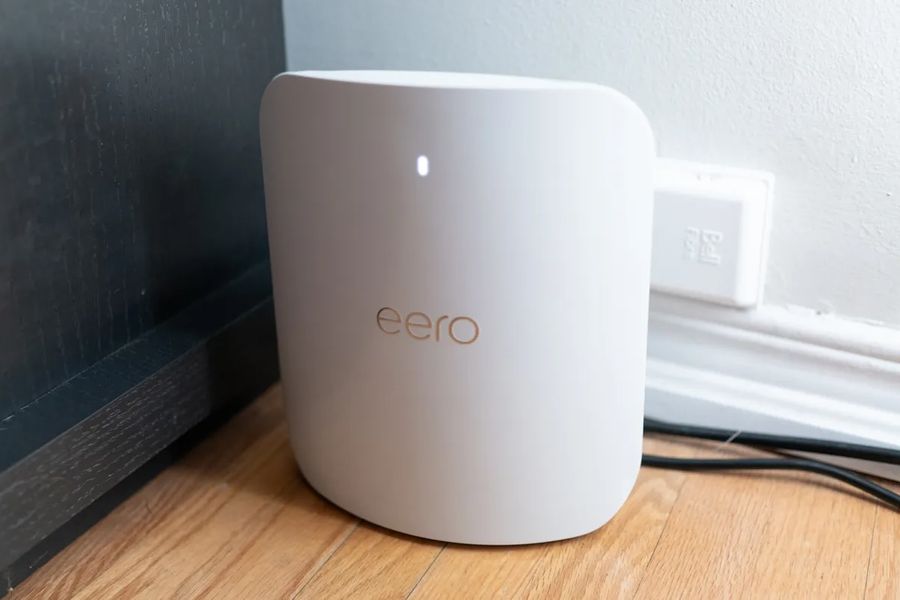
For households that want the top of the eero product line — and are willing to pay for it — the eero Max 7 is the company's flagship WiFi 7 mesh system. It launched at $600 for a single unit, $1,150 for a 2-pack, and $1,700 for the 3-pack that covers up to 7,500 square feet and supports over 750 connected devices.
The Max 7 is a tri-band system operating on 2.4GHz, 5GHz, and 6GHz. What separates it from the eero Pro 7 is primarily the port configuration: each Max 7 unit includes two 10Gbps Ethernet ports and two 2.5Gbps ports, compared to the Pro 7's two 5Gbps ports. That means the Max 7 can serve as the router for a true 10Gbps fiber or cable internet connection, and can provide 10Gbps wired speeds to a locally attached device — a NAS drive, a workstation, or a wired gaming PC. The Qualcomm $QCOM Networking Pro 1220 chip and 2GB of RAM give it headroom that lower-tier eero systems lack.
Beyond the wired ports, the Max 7 includes Matter, Thread, and Zigbee protocol support built directly into the hardware. For households with a significant smart home device ecosystem — particularly one built around Apple $AAPL Home, Google $GOOGL Home, or Amazon $AMZN Alexa — that native integration simplifies network management. Devices using Thread connect directly to the Max 7 as a Thread border router without requiring a separate hub.
The eero app manages the Max 7 with the same interface as the rest of the eero line. Tom's Guide described the setup and management experience as the simplest available in WiFi 7 mesh hardware. BroadbandNow called it a system that combines powerful multi-gig performance with minimalist design. Performance at close range is strong; both Tom's Guide and other reviewers noted that throughput drops more noticeably at longer distances than some competing hardware at the same price tier.
The Max 7's core limitation, shared with the rest of the eero line, is subscription gating: the eero Plus plan at $100 per year is required for parental controls, advanced security, and network activity statistics. That is a meaningful ongoing cost at this hardware price. For buyers who prioritize simplicity and smart home integration and need 10Gbps wired capability, the Max 7 is the eero system to buy. For those who primarily need wireless coverage and can live without 10Gbps wired throughput, the Pro 7 is the better value.
Credit: TechRadar
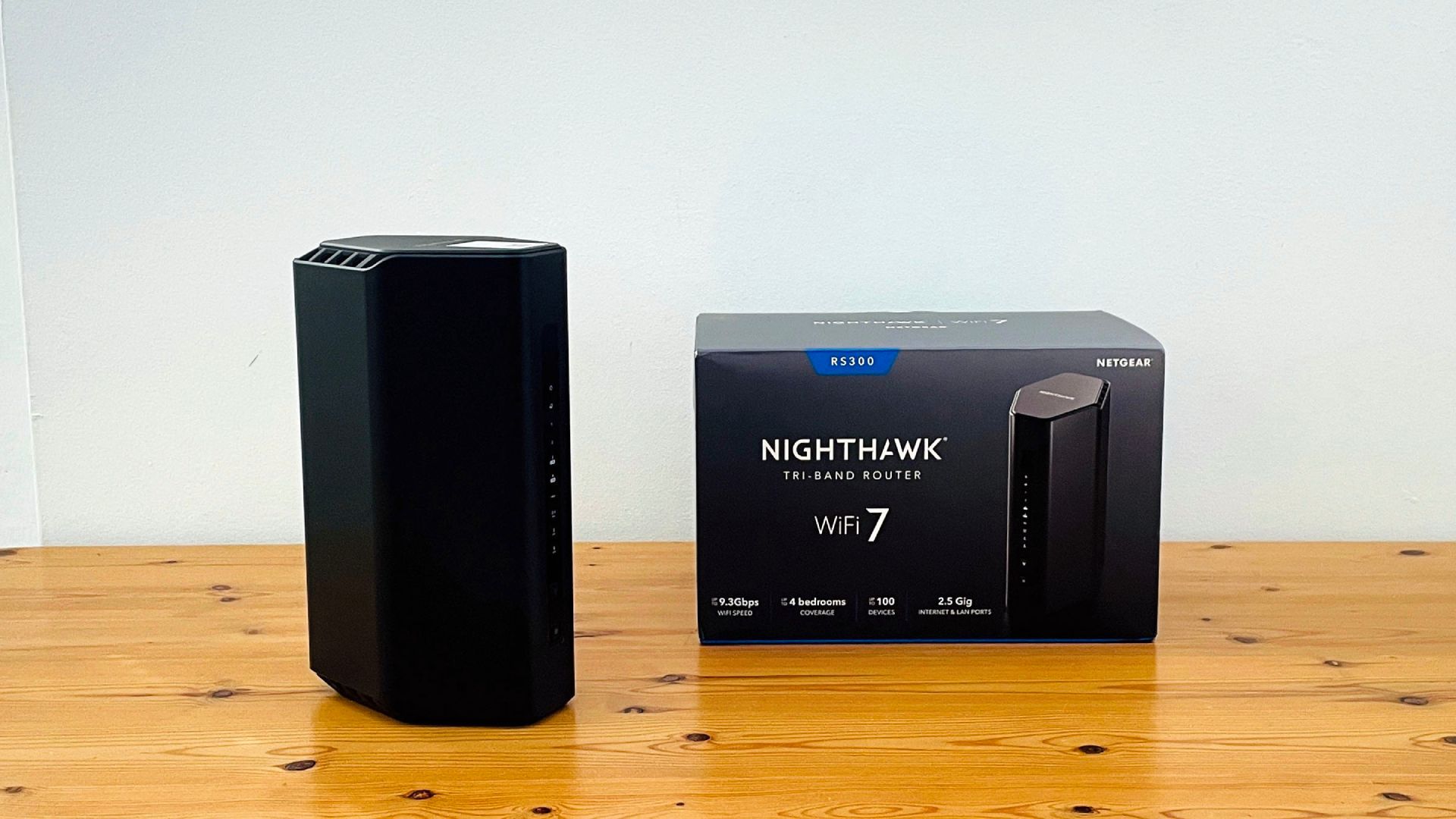
The Netgear Nighthawk RS300 occupies a specific and practical niche: it is a tri-band WiFi 7 single-unit router priced around $200 to $250, making it one of the more affordable ways to get the full three-band WiFi 7 specification — including the 6GHz band — in a standalone router. Consumer Reports lists it among its single-unit router ratings.
The RS300 is a BE9300 system, with theoretical aggregate throughput divided across all three bands: 5.8Gbps on 6GHz, 2.9Gbps on 5GHz, and 700Mbps on 2.4GHz. It supports 320MHz channels, 4K-QAM, and Multi-Link Operation. Each band uses a 2×2 antenna configuration rather than the 4×4 MIMO found on Netgear's higher-end Nighthawk RS700S, which limits peak throughput per band but keeps the price accessible. Coverage is rated for homes up to 2,500 square feet.
The port configuration is a strength. The RS300 includes a 2.5Gbps WAN port, two 2.5Gbps LAN ports, and two additional standard gigabit LAN ports. That gives the router four wired connections alongside the WAN, with two of them capable of multi-gigabit speeds. A USB 3.0 port rounds out the rear panel. Trusted Reviews described the RS300 as providing fast speeds at close range with 2.5 Gigabit Ethernet throughout, while noting that range performance under heavy wireless interference is a factor to consider.
The RS300 uses the same Nighthawk app as the rest of the line for setup and ongoing management. Advanced settings — port forwarding, manual channel selection — require the web interface rather than the app, which some users find limiting. Security runs through Netgear Armor; parental controls require a separate paid subscription. As with other Netgear products, the subscription structure means security and parental features carry ongoing costs beyond the hardware price.
For buyers who want a tri-band WiFi 7 router that includes the 6GHz band and multi-gig Ethernet at a lower price than the Asus RT-BE96U or the TP-Link Archer BE550, the RS300 is a meaningful option. Its 2×2 antenna configuration and 2.5Gbps port ceiling make it a better fit for homes where the primary goal is upgrading the wireless standard rather than maximizing raw wired throughput.
Credit: Tom's Hardware
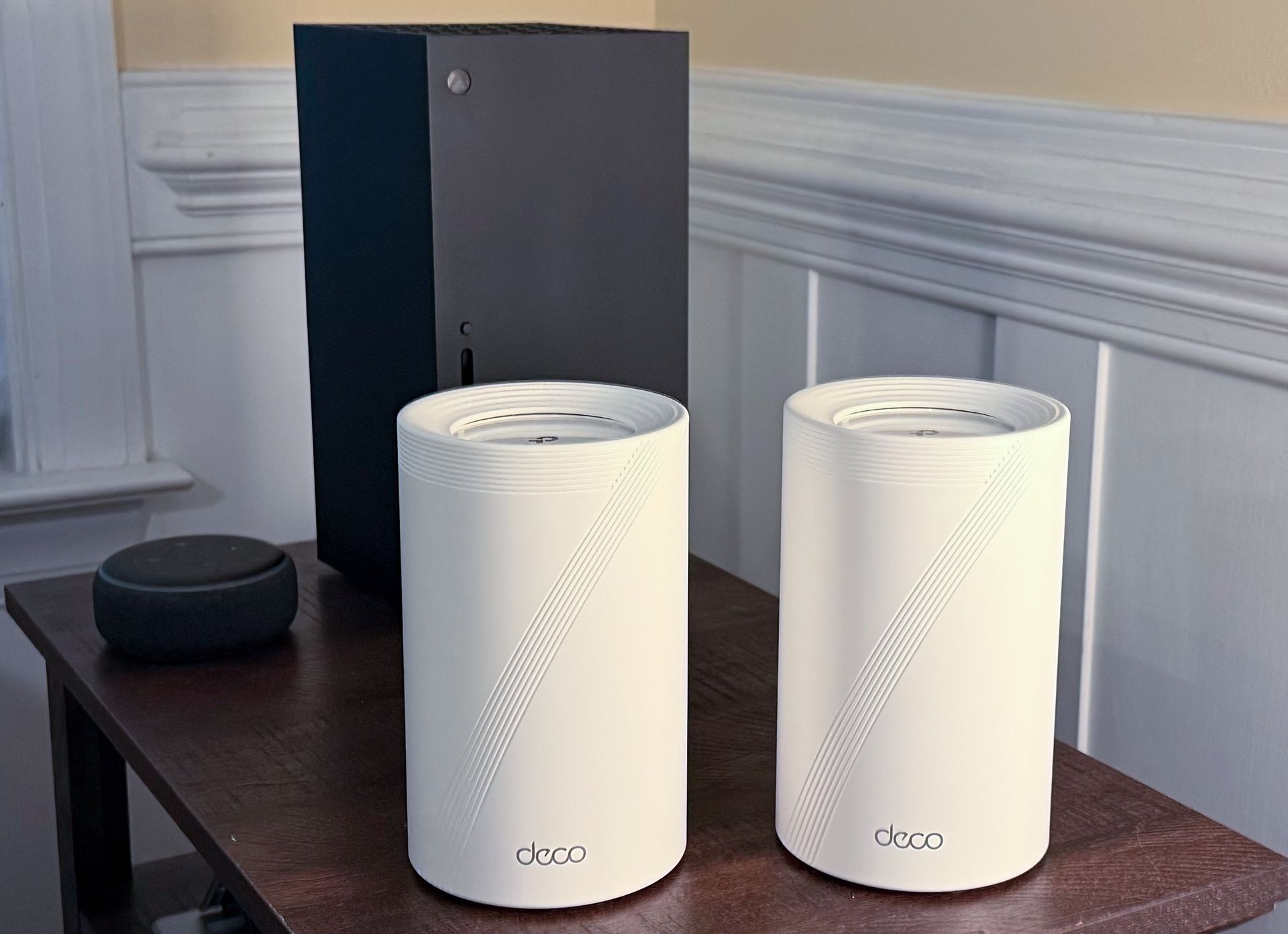
The TP-Link Deco BE63 — also known in some markets as the Deco BE65 — has emerged as a consensus mesh system pick among several major tech publications for 2025 and 2026. TechRadar names it the best mesh WiFi system available in both its U.S. and international router roundups, and it appears consistently on expert recommendation lists from multiple outlets.
The BE63 is a tri-band WiFi 7 system that includes the full frequency range: 2.4GHz, 5GHz, and 6GHz. Each unit provides four 2.5Gbps Ethernet ports (usable as either WAN or LAN) plus one USB 3.0 port. The combination of multi-gigabit wired connectivity, tri-band wireless, and a competitive price positions the BE63 as a mesh option that performs at a premium level without the pricing of top-shelf alternatives like the Deco BE22000 or the Netgear Orbi 870.
In TechRadar's testing, the BE63 delivered speeds that fully utilized their test broadband connection. Signal consistency when moving between rooms was also strong — the key real-world test of a mesh system's effectiveness. The 3-unit version covers approximately 8,100 square feet and supports up to 200 connected devices simultaneously.
Individual units can function as standalone routers, making the BE63 a flexible option for users who may want to expand coverage incrementally. The system supports Ethernet backhaul between nodes, which preserves wireless bandwidth by routing inter-node traffic over physical cable. Free basic content filtering for parents is included without a subscription — a practical advantage for family households.
Pricing varies by pack size, with the 2-pack running around $300 to $350 and the 3-pack in the $400 to $500 range. That positions it below the Orbi 870 and the Deco BE22000 while delivering comparable everyday performance for most homes. TechRadar's reviewer described the value as "very reasonable" for the quality, and the system has maintained a top position in their rankings through multiple updates into 2026. For buyers who want a well-reviewed, tri-band WiFi 7 mesh system without flagship-tier pricing, the Deco BE63 is among the most consistently recommended options currently available.
Credit: TechRadar
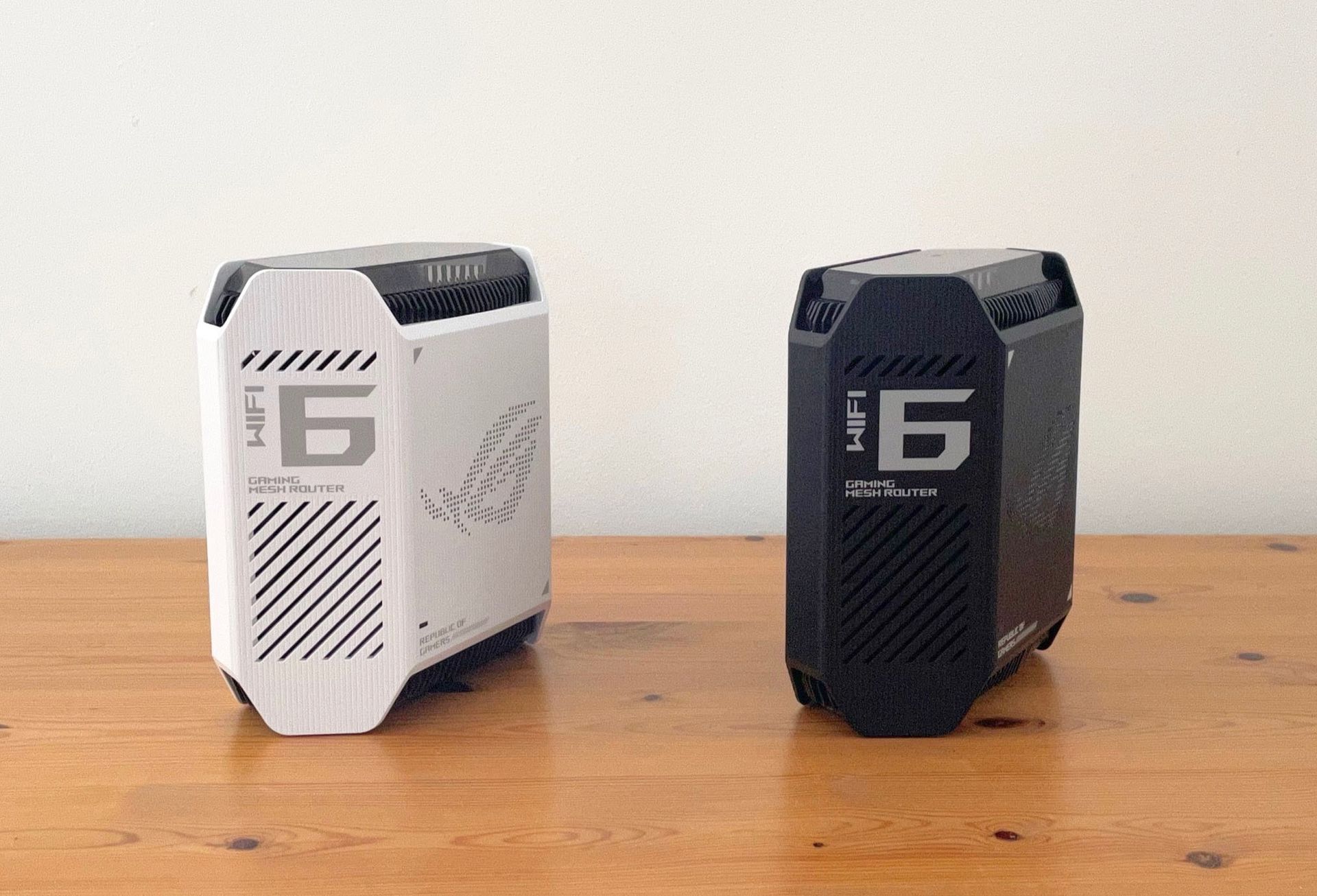
Not every router purchase is about covering a large house. For households where gaming performance is the primary concern — or where one person games competitively while others stream or work — the Asus ROG Rapture GT-6 is a purpose-built option. Consumer Reports includes this model in its top-rated single-unit router rankings.
The GT-6 is a tri-band WiFi 6 router with an aggregate throughput rating of AX10000. WiFi 6 rather than WiFi 7 means it predates Multi-Link Operation and 320MHz channels, but for gaming use cases the difference is modest. Latency and consistent throughput matter more than the peak bandwidth advantages WiFi 7 provides, and the GT-6 has been tuned specifically for those characteristics.
The router includes a dedicated gaming port that provides priority wired access for a connected gaming device, and the ROG software suite includes a gaming dashboard that monitors real-time network conditions, ping times by game server, and available bandwidth. Adaptive QoS allows users to manually set device and application priorities rather than relying on automatic classification. For competitive players who need the lowest possible latency during matches, these tools are substantive rather than decorative.
Port connectivity includes one 2.5Gbps WAN input, one 2.5Gbps LAN port, and four 1Gbps LAN ports, plus two USB 3.0 ports. The router supports AiMesh, Asus's mesh networking standard, which allows it to function as a node in a larger network alongside other compatible Asus routers. A household that games in one area but needs coverage throughout the house can pair the GT-6 with additional AiMesh-compatible units.
Asus includes AiProtection Pro — the same security suite found on the RT-BE96U — at no additional cost. The software suite also includes extensive VPN options and a network diagnostics tool. The GT-6 retails around $350 to $400.
At that price, it is less expensive than most top-tier WiFi 7 hardware. For a household where the existing device mix runs on WiFi 6 and gaming performance is the priority, the trade on wireless standard is reasonable. Buyers who are planning device upgrades in the next year or two may prefer to step up to a WiFi 7 option, but for its stated purpose the GT-6 remains a well-built, well-reviewed choice.