From phishing to zero-trust architecture, these are the core ideas that help anyone protect their data, recognize threats, and make smarter decisions online

Credit: Clint Patterson / Unsplash
The internet was not built with security in mind. The protocols that carry email, web traffic, and connected devices were designed in an era when the global network was small, academic, and largely cooperative. Security came later — bolted on, patched in, layered over the top — and that architectural reality is part of why breaches, scams, and system compromises remain so common decades into the digital age.
The consequences have grown alongside the infrastructure. Personal data leaks from health systems, financial institutions, and social platforms now affect hundreds of millions of people. Ransomware attacks have shut down hospitals and disrupted fuel pipelines. Governments conduct offensive cyber operations against other states' critical infrastructure. Meanwhile, the average person navigates this environment with tools that were not always designed to make security visible or intuitive.
Cybersecurity is often framed as the domain of specialists — network engineers, penetration testers, incident responders. That framing does a disservice to the practical knowledge that anyone with a smartphone, a bank account, or a work laptop actually needs. You do not need to write code or understand packet-level networking to make meaningfully better decisions about your digital life. What you need is a working understanding of the concepts that govern how attacks happen, how defenses work, and what the trade-offs are.
The 20 concepts in this list are not a technical curriculum. They are the foundational ideas that unlock everything else. Understanding phishing makes you less likely to be deceived by it. Understanding encryption helps you evaluate products that claim to protect your data. Understanding how passwords are stored explains why reusing the same one across websites is genuinely dangerous, not just inconvenient to avoid. Each concept connects to decisions people make every day — about the apps they use, the links they click, the networks they connect to, and the accounts they secure.
Cybersecurity literacy is not about becoming paranoid. It is about having an accurate mental model of how digital systems work and where they can fail. The threats are real, they are well-documented, and most of them are not as technically exotic as popular coverage sometimes implies. The fundamentals have not changed as much as the headlines suggest. These 20 concepts are a map.

Credit: RDNE Stock project / Pexels
Phishing is the practice of tricking people into revealing sensitive information — passwords, credit card numbers, account credentials — or into taking an action they otherwise would not, such as wiring money or installing malware. The word is a deliberate misspelling of "fishing," reflecting the idea that attackers cast wide nets hoping some targets will take the bait.
The basic technique has existed since the mid-1990s, when attackers began impersonating America Online customer service representatives in early chat applications to steal account passwords. The core mechanics have not changed much: create a convincing false identity, generate a plausible reason for urgency, and ask the target to do something.
What has changed is sophistication and scale. Early phishing emails were often easy to spot — grammatically poor, visually crude, generic in their targeting. Modern phishing messages can be nearly indistinguishable from legitimate communications. They copy the visual design of real institutions, spoof email addresses that look authentic at a glance, and arrive with tracking mechanisms to confirm when a message has been opened.
Spear phishing refers to targeted attacks aimed at specific individuals rather than mass recipients. An attacker who spear-phishes an executive at a company will research that person's role, colleagues, and recent communications before crafting a message. This kind of attack is far more effective than generic mass phishing because it exploits context the target recognizes.
Voice phishing, called vishing, involves phone calls. Smishing uses SMS text messages. Both have become more common as email filters have improved at catching traditional phishing attempts.
The most reliable defense against phishing is verification through a separate channel. If an email from your bank asks you to click a link and enter your credentials, do not use that link — open a new browser window, navigate to the bank's website directly, and check your account from there. If a colleague sends an unexpected request to transfer funds or share login details, call them on a known phone number to confirm. No legitimate institution will object to this kind of out-of-band verification.
Attackers rely on urgency and fear. Messages that claim your account will be suspended, that a package could not be delivered, or that unusual activity was detected are engineered to make you act quickly and skip scrutiny. Slowing down is one of the most effective countermeasures available to any target.
Technical controls help but do not eliminate the risk. Email authentication protocols can reduce spoofing of exact domain names, but they cannot prevent attackers from registering similar-looking domains. Spam filters catch many phishing messages but miss others. The human layer remains critical.

Credit: Jake Walker / Pexels
Malware is a contraction of "malicious software" — any program designed to damage, disrupt, or gain unauthorized access to a system without the knowledge or consent of the person using it. The category is broad enough to include everything from viruses that spread between files to sophisticated espionage tools used by nation-states.
Viruses are one of the oldest forms of malware. They attach their code to legitimate files and execute when those files are opened, then attempt to replicate themselves further across the system or to other systems. The term is often used loosely to mean any kind of malware, though technically it refers only to programs with self-replication behavior.
Worms spread without requiring user action by exploiting vulnerabilities in networked systems. The 2003 Slammer worm infected hundreds of thousands of servers in roughly 10 minutes by exploiting a known vulnerability in Microsoft $MSFT SQL Server. The speed was possible because the worm required no human interaction — it simply probed IP addresses and spread automatically.
Trojans present themselves as legitimate or useful software while concealing a malicious payload. A user downloads what appears to be a free game or a utility tool; the software installs, performs its apparent function, and simultaneously installs a backdoor or collects keystrokes.
Spyware gathers information about a user — browsing habits, keystrokes, credentials, screen contents — and transmits it to an external party. Stalkerware is a form of spyware often installed on mobile devices by abusive partners to monitor location and communications.
Ransomware encrypts a victim's files and demands payment — typically in cryptocurrency — in exchange for the decryption key. It has been one of the most economically damaging categories of malware in recent years, targeting hospitals, local governments, schools, and large corporations alike.
Delivery mechanisms vary. Malware arrives through malicious email attachments, infected download links, compromised websites that exploit browser vulnerabilities, and physical media. Drive-by downloads can install malware simply by visiting a page in an unpatched browser. USB drives found in parking lots — a documented social engineering technique — have been used to infect systems when employees plug them into work computers.
Defense layers typically include antivirus software, endpoint detection and response tools, keeping operating systems and applications patched, and limiting user permissions so that malware executing under a standard account cannot install software or modify system files.

Credit: Markus Spiske / Pexels
Encryption converts readable information — called plaintext — into an unreadable scrambled form called ciphertext, using a mathematical algorithm and a key. Only someone with the correct key can reverse the process and recover the original data. Without it, digital communication and storage would be fundamentally insecure.
The concept predates computers by millennia. Julius Caesar used a simple substitution cipher in which each letter of the alphabet was shifted by a fixed number of positions. Modern encryption uses mathematical operations of a different order of complexity — not shifts of 13 positions, but algorithms that would require more computing steps to break by brute force than there are atoms in the observable universe.
Symmetric encryption uses the same key to encrypt and decrypt data. It is fast and efficient, making it practical for encrypting large volumes of data. The problem is key distribution: if two parties want to communicate securely using symmetric encryption, they need a way to share the key without it being intercepted — which is a real challenge when they have never previously met in person.
Asymmetric encryption, also called public-key cryptography, solves this problem. Each party generates a mathematically linked pair of keys: a public key, which can be shared openly, and a private key, which is kept secret. Data encrypted with one key in the pair can only be decrypted with the other. This allows anyone to send an encrypted message to a recipient using only the recipient's public key, knowing that only the recipient's private key can decode it.
HTTPS — the padlock you see in a browser address bar — relies on asymmetric encryption to establish a secure channel, then switches to symmetric encryption for the bulk of data transfer because it is faster.
End-to-end encryption means that messages are encrypted on the sender's device and can only be decrypted on the recipient's device. The service provider in the middle — the messaging platform, the email service — cannot read the content even if they wanted to or were compelled to by legal process.
Encryption protects data in transit, traveling across networks, and data at rest, stored on devices or servers. Both matter. A system that encrypts network traffic but stores data in plaintext on disk remains vulnerable to anyone who gains access to that storage.
Credit: Zulfugar Karimov / Unsplash
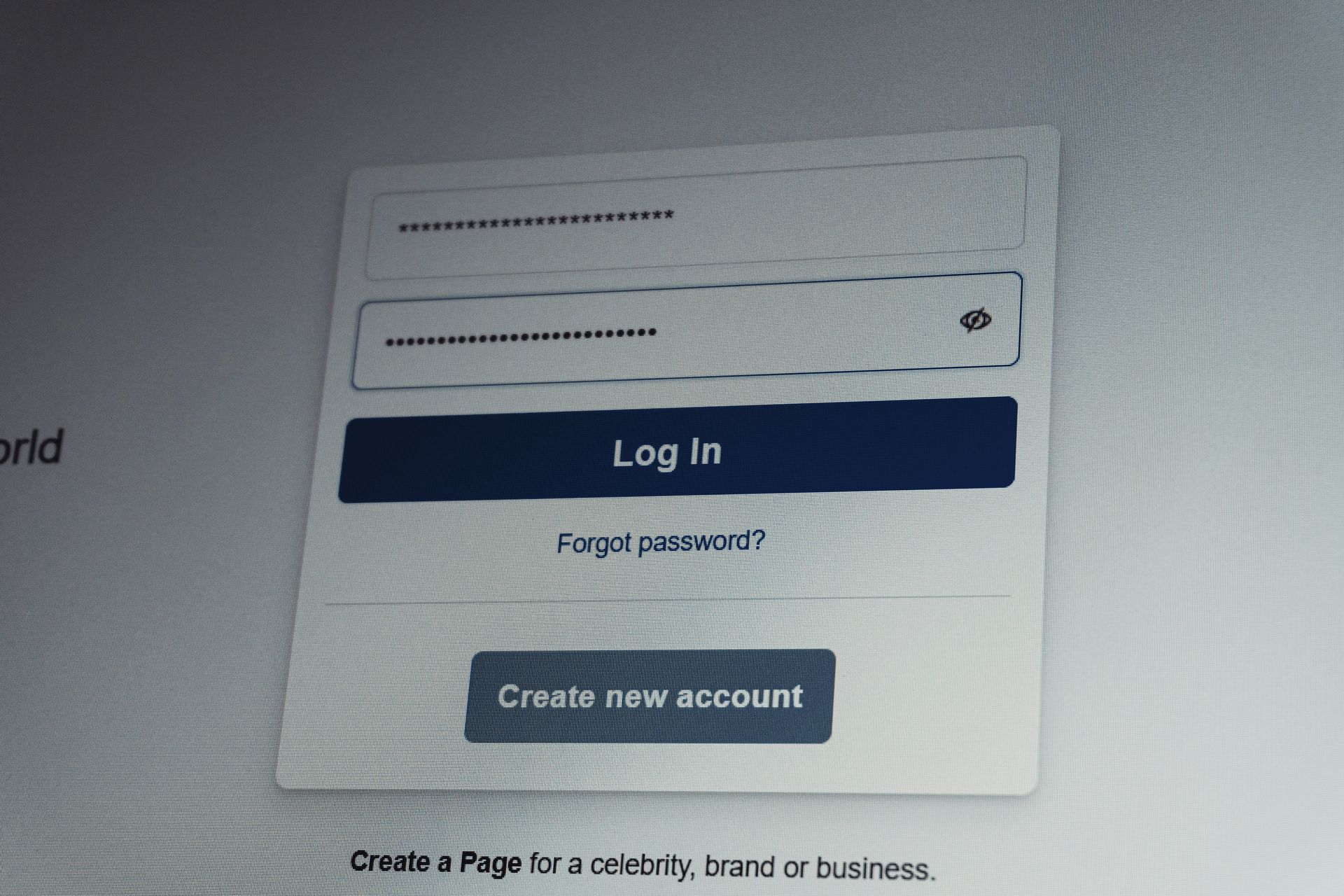
A password is the most common form of authentication — the process by which a system verifies that you are who you claim to be. Despite being ubiquitous, passwords are one of the weakest links in digital security, largely because of how people choose and manage them.
The core problem is human memory. People tend to create passwords that are short, easy to remember, and reused across multiple accounts. Short passwords are vulnerable to brute-force attacks, in which automated tools try combinations systematically until they find a match. Reused passwords mean that a breach at one service — a retail website, a forum, an old subscription — gives attackers credentials that work on more valuable targets like email or banking accounts.
Credential stuffing is the automated technique that exploits reuse at scale. Attackers obtain lists of leaked username-and-password combinations from previous breaches and test them against other services automatically. Because many people use the same email address and password combination everywhere, the success rate is meaningful.
A password manager solves the reuse problem by generating long, random, unique passwords for every account and storing them encrypted in a vault protected by a single master password. The user needs to remember only that one password. The passwords the manager generates — typically 16 or more random characters — are not meaningful words and are not reused, making credential stuffing useless against accounts protected this way.
Password strength is better understood as length and randomness than as complexity. A random 16-character string of letters and numbers is more secure than a shorter password containing a special character.
Multi-factor authentication (MFA) adds a second layer of verification beyond the password — a one-time code sent by SMS, generated by an authenticator app, or produced by a hardware key. Even if an attacker obtains a correct password through phishing, data breach, or guessing, they cannot log in without the second factor. Authenticator apps and hardware keys are more secure than SMS codes, which can be intercepted through SIM-swapping attacks.

Credit: RDNE Stock project / Pexels
A data breach is an incident in which unauthorized parties gain access to data that is not intended for them. Breaches affect individuals, corporations, governments, and healthcare providers. They range in scale from thousands of records to billions, and in sensitivity from email addresses to Social Security numbers, medical histories, and financial account details.
Breaches happen through a variety of mechanisms. Attackers may exploit software vulnerabilities to gain access to a database. They may phish an employee with administrative credentials. An insider — a current or former employee — may deliberately exfiltrate data for financial or ideological reasons. A misconfigured cloud storage bucket may leave data publicly accessible without any active intrusion at all.
The 2013 breach of Adobe $ADBE affected approximately 153 million records, including passwords that had been encrypted with an outdated and inadequate method, making them relatively easy to crack. The 2017 Equifax breach exposed the personal and financial information of approximately 147 million Americans — nearly half the adult population of the U.S. — including Social Security numbers, birth dates, addresses, and in some cases driver's license numbers and credit card data.
What makes breaches persistently damaging is that exposed data does not expire. A Social Security number leaked in 2017 is just as useful to an identity thief in 2024 as it was the day it was stolen. Breached credentials circulate on dark web marketplaces and are used in credential-stuffing attacks for years after the original incident.
Have I Been Pwned, a website operated by security researcher Troy Hunt, allows people to check whether their email address appears in known breach datasets. It indexes billions of records from documented public breaches and is a practical first step for anyone who wants to understand their exposure.
The consequences of a breach depend heavily on what data was exposed and how it was stored. Passwords stored as properly hashed values — using strong algorithms like bcrypt or Argon2 — are far harder to crack than those stored in plaintext or using weaker algorithms. This is one reason why how a service stores your data matters as much as whether it gets breached.
Credit: Zulfugar Karimov / Unsplash
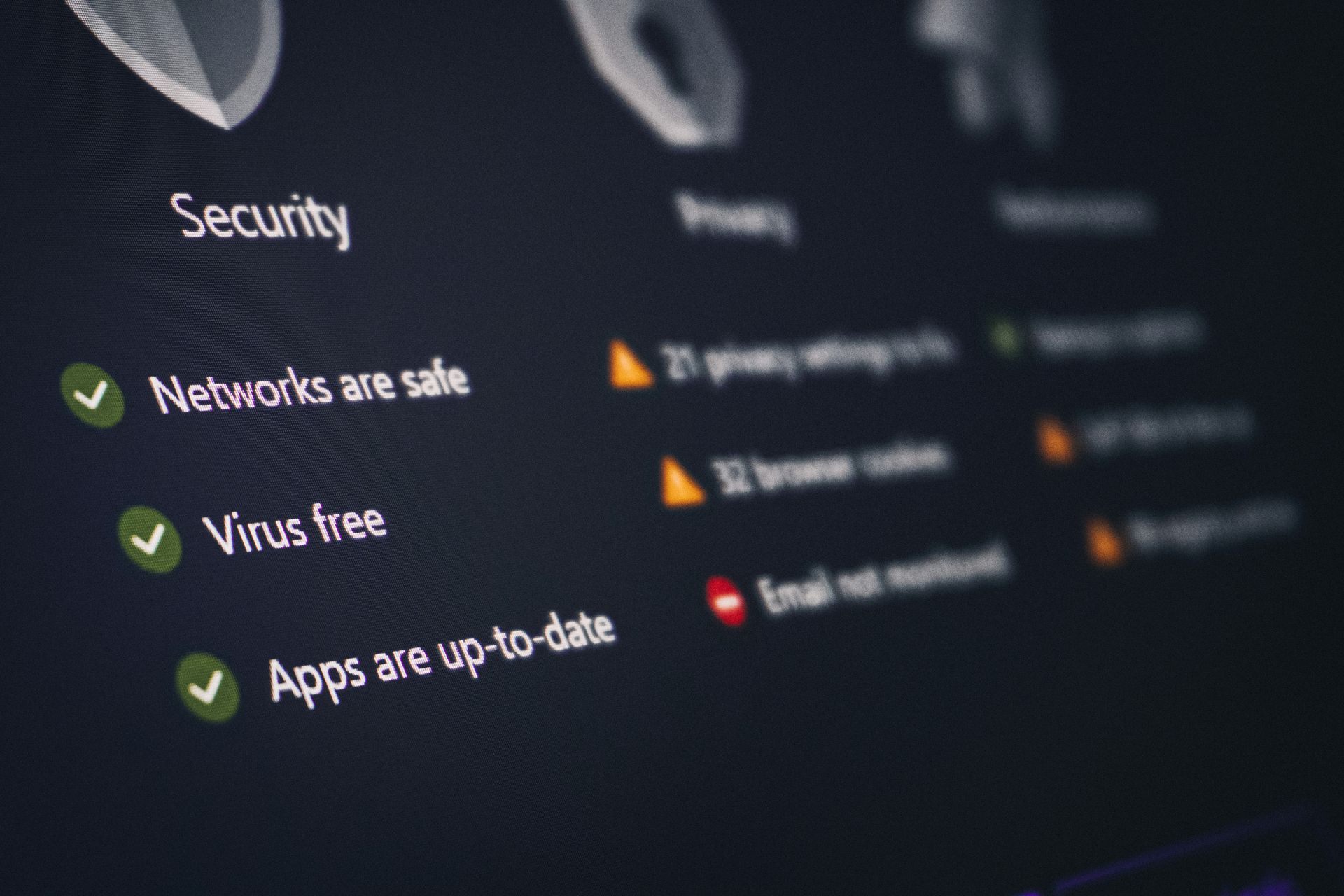
A firewall is a security control that monitors and filters traffic entering or leaving a network based on a defined set of rules. The term comes from the physical firewall — the barrier built into a building or vehicle to prevent fire from spreading. In networking, a firewall creates a controlled boundary between a trusted internal network and external networks that are less trusted.
Traditional firewalls operated at the network layer, examining packets — the small units into which data is divided for transmission — and allowing or blocking them based on source and destination IP addresses and ports. A rule might permit web traffic from any source to reach a web server on port 443 while blocking all other traffic to that server. This kind of filtering is fast and effective for known patterns of legitimate and malicious traffic.
Stateful firewalls track the state of active connections, allowing them to understand context. A packet that arrives claiming to be part of an established connection can be checked against the firewall's state table. If no such connection exists, the packet can be rejected. This closes off certain kinds of spoofing and flooding attacks that simpler packet-filtering firewalls would pass.
Next-generation firewalls examine traffic at a deeper level, including application layer inspection. They can identify traffic by the application generating it — not just by port number — and apply rules accordingly. They also integrate threat intelligence feeds, intrusion detection and prevention systems, and SSL inspection to examine encrypted traffic.
Personal firewalls operate on individual devices rather than network perimeters. Operating systems including Windows and macOS ship with built-in personal firewalls that block inbound connections to applications that have not explicitly been granted access.
A firewall is not a complete defense. It cannot stop malware delivered through permitted traffic — a malicious email attachment that passes through a mail server on an allowed port, for example. It does not address vulnerabilities in the applications it is protecting. It is one layer in a broader defense strategy, effective when properly configured and combined with other controls.
Credit: Stefan Coders / Pexels
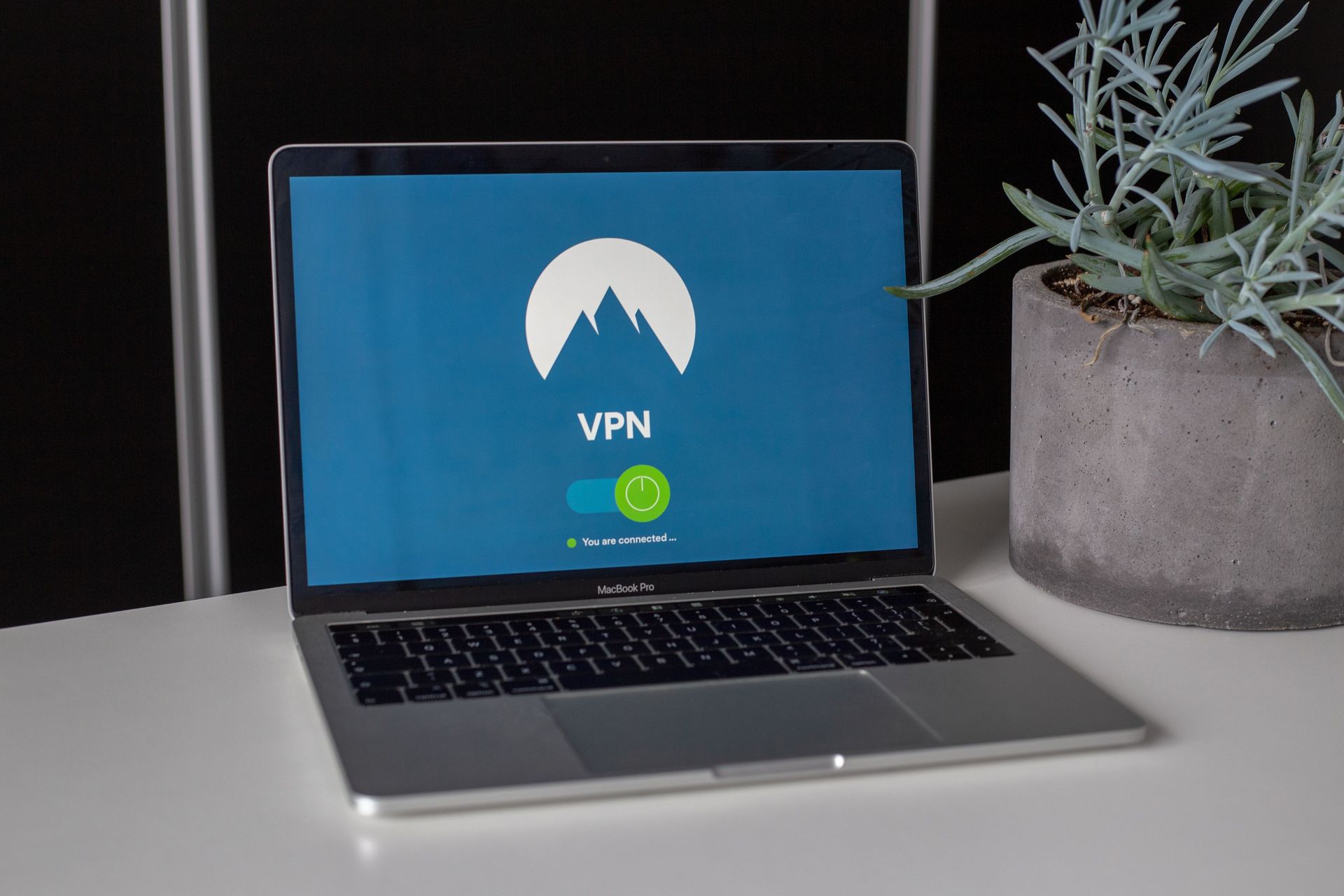
A VPN, or virtual private network, creates an encrypted tunnel between a device and a remote server operated by the VPN provider. Traffic from the device passes through this tunnel, then exits onto the internet from the VPN server's IP address rather than the user's own. From the perspective of external observers — websites, advertisers, an internet service provider — the traffic appears to originate from the VPN server's location.
VPNs were originally developed to allow employees to securely connect to corporate networks from remote locations, extending the trusted network perimeter over an untrusted connection. When a sales team member connects to headquarters through a VPN while traveling, their laptop behaves as though it is on the office network, with access to internal resources that would otherwise be unavailable over the internet.
Consumer VPNs are marketed primarily on privacy grounds. The argument is that by routing traffic through the VPN provider's servers, the user prevents their internet service provider from seeing which sites they visit. On an unencrypted public Wi-Fi network — in a coffee shop or hotel — a VPN prevents other users on the same network from intercepting traffic.
The limitation is that trust shifts rather than disappears. When using a VPN, the internet service provider can no longer see the traffic, but the VPN provider can. A VPN provider's privacy policy and logging practices matter significantly, and those practices are difficult to verify independently. Some providers have been caught logging user activity despite claiming not to.
VPNs do not make a user anonymous. They mask an IP address from external services, but they do not prevent tracking through cookies, browser fingerprinting, or account logins. Someone who uses a VPN and then logs into a personal account has identified themselves to that service regardless.
For bypassing geographic content restrictions and adding a layer of protection on genuinely untrusted public networks, VPNs serve a real purpose. The privacy protection they offer against determined, well-resourced adversaries is more limited than some marketing suggests.

Credit: Canva Images
Two-factor authentication — often abbreviated 2FA or used interchangeably with the broader term multi-factor authentication (MFA) — is a login process that requires a user to provide two distinct forms of evidence before gaining access to an account. The two factors typically come from different categories: something you know (a password), something you have (a device or token), or something you are (a biometric like a fingerprint or face scan).
The underlying rationale is that stealing or guessing a single credential is harder than stealing two independent ones. A database breach may expose passwords, but it does not give attackers access to the physical device in a target's pocket. A stolen phone does not help if the attacker does not know the account password.
SMS-based 2FA sends a one-time code via text message. It is better than no second factor, but it has a documented weakness: SIM-swapping. In this attack, an adversary convinces a mobile carrier — typically through social engineering or impersonation — to transfer the victim's phone number to a SIM card the attacker controls. All calls and texts, including 2FA codes, then go to the attacker. High-profile targets with significant assets in cryptocurrency or social media accounts have been targeted this way.
Authenticator apps like Google $GOOGL Authenticator, Authy, and Microsoft $MSFT Authenticator generate time-based one-time passwords (TOTP) that change every 30 seconds. Because these codes are generated locally on the device rather than transmitted by SMS, they are not vulnerable to SIM-swapping. They are also not dependent on cellular network availability.
Hardware security keys, such as those following the FIDO2/WebAuthn standard, provide the strongest protection. These physical devices plug into a USB port or connect via NFC and perform a cryptographic challenge-response when authenticating. They are resistant to phishing because the authentication is bound to the specific website's domain — a fake site cannot trigger a valid response from the key.
Enabling 2FA on email accounts is a high-priority step because email accounts are typically the recovery mechanism for all other accounts. An attacker who gains access to an email inbox can reset passwords across virtually every linked service.
Credit: Canva Images
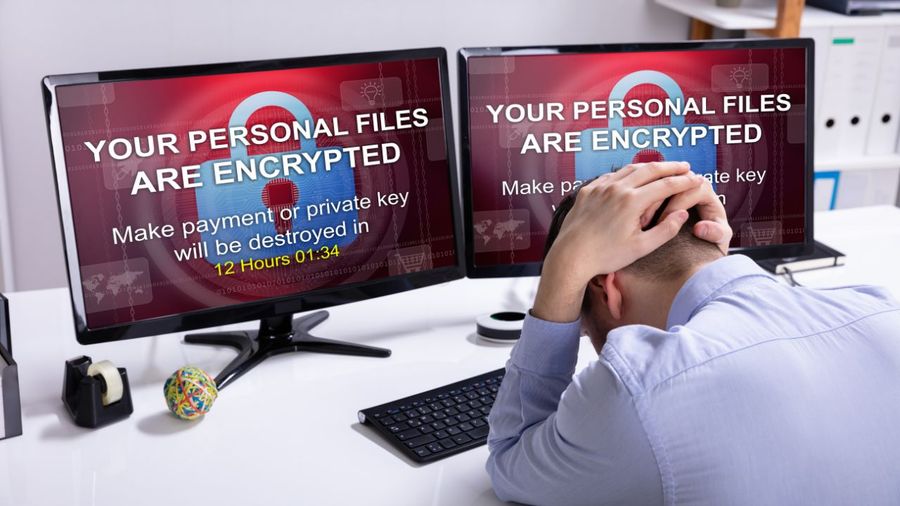
Ransomware is a category of malware that encrypts a victim's files and demands payment — typically in cryptocurrency — in exchange for the decryption key needed to restore access. It has become one of the most economically destructive forms of cybercrime, affecting organizations in healthcare, government, education, finance, and critical infrastructure.
The encryption mechanism itself is sound. Modern ransomware uses legitimate, strong cryptographic algorithms. Without the decryption key held by the attacker, files encrypted by ransomware are, for practical purposes, unrecoverable. This is what makes ransomware particularly effective as an extortion tool: the damage is real and technical, not just a threat.
The first widely recognized ransomware, called AIDS Trojan or PC Cyborg, appeared in 1989 and was distributed on floppy disks. Its encryption was weak and symmetric, making it possible to reverse without paying. Modern ransomware uses asymmetric encryption that makes this approach infeasible.
The ransomware-as-a-service model has lowered the barrier to entry for attackers. Ransomware gangs develop and maintain the malware and infrastructure, then lease it to affiliates who conduct the actual attacks. The affiliate receives a portion of each ransom payment; the developer takes the rest. This business model has enabled rapid proliferation.
Double extortion has become standard practice. Attackers not only encrypt files but exfiltrate them first. If the victim refuses to pay the ransom, the attackers threaten to publish the stolen data publicly. Some victims who refuse to pay the ransom to restore files still pay a separate demand to prevent publication of sensitive records.
Backups are the most reliable technical defense, but only if they are maintained correctly. A backup that is connected to the network during an attack can itself be encrypted. Offline backups — stored on media that is physically disconnected when not in use — or immutable cloud backups that cannot be altered or deleted after creation are far more resilient. Organizations that maintain good offline backups can often restore operations without paying ransom.

Credit: panumas nikhomkhai / Pexels
Network security refers to the practices, technologies, and policies used to protect the integrity, confidentiality, and availability of computer networks and the data that passes through them. It is a broad field that includes hardware controls, software configurations, monitoring practices, and access management.
Every connected device has an IP address — a numerical identifier used to route traffic across networks. Devices communicate by sending packets, each of which contains a source and destination address, the data being transmitted, and protocol information describing how the packet should be handled. Controlling which packets can flow where, and monitoring for anomalies in that flow, is a core task of network security.
Network segmentation divides a larger network into smaller zones with controlled access between them. A hospital might segment its administrative network from its clinical systems, which in turn are separated from medical devices. If an attacker gains access to one segment — by compromising an administrative workstation, for example — segmentation limits how far the intrusion can spread. Lateral movement, the process by which attackers move from an initial foothold to other systems on a network, is significantly harder in a properly segmented environment.
Intrusion detection systems (IDS) monitor network traffic and system activity for patterns that match known attack signatures or statistical anomalies. An IDS that detects what appears to be a port scan — a technique used to map which services are running on a network — can alert security staff. Intrusion prevention systems (IPS) take this a step further, automatically blocking suspicious traffic rather than only alerting.
Network monitoring logs are invaluable after an incident. Understanding the timeline and scope of a breach — which systems were accessed, in what sequence, and what data was exfiltrated — typically depends on having detailed, preserved log data. Many breaches are discovered weeks or months after the initial intrusion, and logs are what allow investigators to reconstruct what happened.
Wireless networks introduce additional considerations. The encryption protocol used on a Wi-Fi network matters significantly. WEP, an older protocol, has known weaknesses that make it trivial to compromise. WPA2 and WPA3 are the current standards, with WPA3 providing stronger protection against dictionary attacks on the password.

Credit: Canva Images
Zero trust is a security model built on the principle of not granting automatic trust to any user, device, or system — regardless of whether they are inside or outside the traditional network perimeter. The phrase "never trust, always verify" is the most common shorthand for the philosophy.
Traditional network security was built on the idea of a perimeter — a protected interior network surrounded by defenses. Devices and users inside the perimeter were generally trusted; those outside were not. This made sense when most employees worked in an office, connecting to internal systems over a corporate network. It made far less sense once organizations began using cloud services, supporting remote work, and dealing with the reality that attackers who compromise a single device inside the perimeter could move freely once inside.
Zero trust challenges the concept of perimeter trust by treating every access request as though it originates from an untrusted network, even if the request comes from inside the corporate network. A user who logs in from an office workstation is subject to the same verification requirements as one logging in from home or from an unknown location. A device that passed a security check last week needs to pass one today.
Verification under zero trust typically includes confirming user identity through strong authentication, checking whether the device meets defined security standards — current patches, correct configuration, no detected compromise — and limiting access to only the specific resources the user needs for their current task. This principle of least privilege ensures that a compromised account or device cannot access everything, only the narrow slice of resources it had permission for.
Microsegmentation is a zero trust implementation technique that divides applications and services into small, isolated segments with tightly controlled access paths. Even within a network zone, individual workloads communicate only with the specific other workloads they are authorized to reach.
Zero trust is not a single product or technology. It is an architecture and a philosophy that requires consistent application across identity management, device management, network controls, and data access policies. Implementation is complex and incremental; most organizations that claim to be adopting zero trust are partway through a multi-year process of changing how access is managed across their systems.

Credit: Canva Images
Public key infrastructure (PKI) is the system of technologies, policies, and processes that supports the use of public-key cryptography at scale. It enables the distribution and verification of public keys in a way that allows two parties who have never communicated before to establish trust and exchange encrypted data securely.
The central problem PKI solves is authentication of public keys. Asymmetric encryption requires having the correct public key for the person or system you want to communicate with. But how do you know that the public key you received is actually associated with who it claims to be? Without a mechanism to verify this, an attacker could intercept your request for someone's public key and substitute their own — then read and re-encrypt your messages without either party knowing. This is called a man-in-the-middle attack.
PKI solves this through digital certificates. A digital certificate is a file that binds a public key to an identity — a person, organization, or domain name — and is digitally signed by a trusted third party called a certificate authority (CA). When your browser connects to a website over HTTPS, it receives the site's certificate, checks that it is signed by a CA the browser trusts, and verifies that the domain name on the certificate matches the one in the address bar.
Certificate authorities are a tiered hierarchy. Root CAs — whose certificates are embedded in operating systems and browsers at installation — sign intermediate CAs, which in turn sign end-entity certificates for websites, email servers, and other services. A chain of trust connects every certificate back to a trusted root.
The system depends on the CAs in that trust store being reliable. When a CA is compromised or behaves badly, the consequences can be broad. In 2011, the Dutch CA DigiNotar was compromised and fraudulent certificates were issued for domains including google.com, which were used in attacks against Iranian internet users. After the compromise was discovered, DigiNotar's certificates were revoked by browsers, effectively rendering the company unable to operate.
Certificate transparency logs, introduced as a response to incidents like DigiNotar, create public, append-only records of every certificate issued. This allows domain owners and security researchers to monitor for unauthorized certificates being issued for their domains.
Credit: Zulfugar Karimov / Unsplash
A vulnerability is a weakness in software, hardware, or a configuration that could be exploited by an attacker to gain unauthorized access, escalate privileges, or cause disruption. Vulnerabilities are an inevitable product of the complexity of modern software — even well-written code, operating in a complex environment with other software, can contain flaws that become apparent only after deployment.
The discovery-to-patch cycle works roughly as follows: a researcher or attacker discovers a vulnerability, either by analyzing software code or through testing. If the researcher follows responsible disclosure practices, they report the vulnerability to the vendor before making it public, giving the vendor time to develop and release a patch. After the patch is released, or sometimes before, details about the vulnerability become known, at which point unpatched systems become targets.
Patch management — the practice of systematically applying security updates to software and systems — is one of the most effective things an organization can do to reduce attack surface. The 2017 WannaCry ransomware attack, which affected hundreds of thousands of systems across 150 countries, exploited a vulnerability in Windows systems for which Microsoft $MSFT had released a patch two months earlier. Organizations that had not applied the patch remained vulnerable.
Zero-day vulnerabilities are those that are unknown to the vendor and for which no patch yet exists. The name refers to the fact that the vendor has had zero days to address the problem. Zero-day vulnerabilities are valuable commodities in certain markets — used by governments for intelligence operations and sold to brokers for substantial sums — because defenders cannot patch against something they do not know about.
The Common Vulnerabilities and Exposures (CVE) system assigns standardized identifiers to publicly known vulnerabilities, making it easier to track and communicate about specific issues across tools and databases. Each CVE entry includes a description of the vulnerability, affected software versions, and a severity score.
Patch management sounds simple but involves real operational complexity in large environments. Updates need to be tested before broad deployment to ensure they do not break critical applications. Some legacy systems run software that is no longer supported and receives no patches at all, presenting a persistent challenge for organizations that cannot easily replace them.
Credit: Zulfugar Karimov / Unsplash
Identity and access management (IAM) is the discipline of ensuring that the right people — and only the right people — have access to the right resources, at the right times, for the right reasons. It covers the systems and processes used to create, maintain, and remove user accounts, assign permissions, and monitor how access is exercised.
Authentication is the verification that a user is who they claim to be. Authorization is the determination of what that user is permitted to do once their identity is established. The two are distinct processes, though they are closely linked. A user might authenticate successfully — prove their identity — but still be restricted from accessing certain data or performing certain actions, because their role does not grant that permission.
The principle of least privilege holds that any user, account, or process should have only the minimum permissions necessary to perform its legitimate function. In practice, this means that a marketing analyst does not need access to the payroll database, a customer service agent does not need to modify system configurations, and a process that reads data from a database should not have write permissions. Broad permissions increase the damage potential of any compromise.
Role-based access control (RBAC) assigns permissions to roles rather than to individual users. A user inherits permissions by being assigned to a role. When an employee changes job function, their old role is removed and a new one is assigned, rather than manually adjusting individual permissions across dozens of systems.
Privileged access management (PAM) focuses specifically on accounts with elevated permissions — system administrators, database administrators, and others who can make significant changes to infrastructure. These accounts are high-value targets for attackers and are typically managed with additional controls: separate vaulted credentials, additional authentication requirements, and session recording that captures everything done during a privileged session.
Access reviews are periodic processes in which an organization audits who has access to what, confirms that access is still appropriate, and revokes permissions that are no longer needed. Accounts belonging to former employees that were not properly deprovisioned have been used as entry points for attacks long after the person left the organization.

Credit: FlyD / Unsplash
HTTPS is the secure version of HTTP, the protocol through which web browsers request and receive content from web servers. The "S" stands for secure, and the security is provided by TLS — Transport Layer Security — a cryptographic protocol that encrypts data in transit between the browser and the server.
When a browser connects to a website over HTTPS, the connection begins with a TLS handshake: a short negotiation in which the browser and server agree on which version of TLS and which cryptographic algorithms to use, the server presents its certificate to prove its identity, and the two parties exchange information to derive a shared encryption key for the session. Once the handshake is complete, all data flows through the encrypted tunnel.
The padlock icon that appears in a browser's address bar indicates that the connection is encrypted and that the server's certificate was validated by a trusted CA. It does not guarantee that the website itself is legitimate or that the operators are who they claim to be. A phishing site can obtain a valid TLS certificate — and many do — because certificate authorities issue certificates to anyone who proves control of a domain, not only to organizations that have been verified as trustworthy.
This is a commonly misunderstood point. The padlock means the connection is encrypted, not that you can trust the website. A fraudulent site at paypaI.com — with a capital I instead of a lowercase L in "Pal" — can have a perfectly valid TLS certificate for its domain, because the certificate authority has verified that the site owner controls that domain, not that the site is PayPal $PYPL.
The older SSL protocol, which TLS replaced, is the origin of the commonly used term "SSL certificate." Technically, current TLS certificates are not SSL certificates — the SSL protocol is deprecated and insecure — but the term has persisted as informal shorthand.
HTTP Strict Transport Security (HSTS) is a mechanism that instructs browsers to always connect to a domain over HTTPS, even if a user types the address without the scheme or follows an HTTP link. It prevents certain downgrade attacks that could strip the encryption from a connection.

Credit: Markus Winkler / Pexels
The Domain Name System (DNS) is the internet's address book. When you type a URL into a browser, DNS translates the human-readable domain name — like quartz.com — into an IP address that routers can use to direct traffic to the correct server. DNS is foundational infrastructure for virtually all internet communication, and its security has broad implications.
DNS queries and responses are traditionally sent in plaintext. An observer on the network — your internet service provider, a network operator, or anyone positioned to intercept your traffic — can see which domain names you are resolving, which reveals the sites you are visiting even if the content of your connections is encrypted. DNS over HTTPS (DoH) and DNS over TLS (DoT) are newer protocols that encrypt DNS queries, addressing this visibility.
DNS cache poisoning, also called DNS spoofing, is an attack in which false information is injected into a DNS resolver's cache. If successful, users whose queries are served by that resolver can be directed to a malicious IP address when looking up a legitimate domain — arriving at an attacker-controlled site while the address bar shows the expected URL. DNSSEC, a set of extensions to the DNS protocol, uses digital signatures to verify the authenticity of DNS records and prevent this kind of poisoning.
Domain registration security is a separate concern. Domain hijacking occurs when an attacker gains control of a domain's registration, often by compromising the registrar account through phishing or credential stuffing. Once they control the domain registration, they can redirect traffic, obtain TLS certificates, and intercept email for that domain. Registrar accounts should be protected with strong authentication just as any other high-value account should be.
Subdomain takeover is a class of vulnerability that arises when a DNS record points to an external service — a cloud storage bucket, a third-party application platform — that the original organization no longer uses. If the external resource is deleted but the DNS record remains, an attacker can often claim the resource on the external platform and take control of the subdomain.
Domain squatting and typosquatting involve registering domains that closely resemble legitimate ones — with common misspellings, transposed characters, or different top-level domains — to capture traffic from users who make input errors or click imprecise links.

Credit: Compagnons / Unsplash
Incident response is the organized process by which an organization detects, contains, investigates, and recovers from a cybersecurity incident. It is as much a planning and governance activity as a technical one: the work done before an incident determines how effectively the organization responds when one occurs.
The National Institute of Standards and Technology (NIST) describes the incident response lifecycle in four phases: preparation, detection and analysis, containment, eradication and recovery, and post-incident activity. Other frameworks use slightly different structures, but the underlying sequence is consistent.
Preparation involves establishing an incident response plan, defining roles and responsibilities, building communication channels, and ensuring that logging and monitoring are in place so that incidents can be detected and investigated. An organization that has not done this work before an incident will spend the early hours of a crisis making decisions that should have been made months earlier.
Detection is often the hardest phase. The average time between initial intrusion and detection in a sophisticated attack has historically been measured in weeks or months — though this interval has shortened as detection tooling has improved. Many breaches are discovered not by internal monitoring but by third parties: a bank that sees suspicious transactions, a security researcher who finds stolen data online, or law enforcement acting on intelligence.
Containment focuses on limiting the damage of an active incident without destroying evidence needed for investigation. The right containment strategy depends on the nature of the incident. Disconnecting a compromised system from the network stops an attacker from using it, but may also alert them to their discovery, causing them to accelerate or destroy artifacts. The forensic preservation of volatile data — memory contents, active network connections — must often happen before containment actions are taken.
Post-incident review, sometimes called an after-action review or lessons-learned process, is where organizations extract durable improvements from difficult experiences. What worked in the response, what did not, and what changes in controls, processes, or tooling would have prevented or limited the incident are the central questions. Organizations that skip this step repeat the same incidents.

Credit: Tima Miroshnichenko / Pexels
The dark web refers to portions of the internet that are not indexed by standard search engines and are accessible only through specialized software, most commonly the Tor browser. The term is often used loosely to encompass both the dark web proper and the broader deep web, which includes any content not accessible to web crawlers — password-protected pages, private databases, internal corporate intranets.
Tor, originally developed for the U.S. Navy, routes internet traffic through a series of volunteer-operated servers, encrypting the data at each step and concealing the origin and destination of communication. The design provides anonymity for both users and the operators of sites (called hidden services or onion services, named for the .onion top-level domain used to address them).
The dark web hosts both legitimate and harmful content. It is used by journalists communicating with sources in repressive environments, by political dissidents, by people in countries where internet access is heavily censored, and by law enforcement conducting investigations. It is also home to marketplaces trading in stolen credentials, payment card data, identity documents, malware, and other illicit goods.
Threat intelligence is the practice of collecting, analyzing, and distributing information about threats — who is attacking, how they operate, what infrastructure they use, and what targets they pursue. It is distinct from generic security alerts; it is actionable, contextualized information tied to specific adversaries and campaigns.
Security teams use threat intelligence to prioritize which vulnerabilities to patch urgently, to configure detection rules for known attacker tools and behaviors, and to understand whether their organization is being actively targeted by specific groups. Intelligence feeds from commercial providers, government agencies, and industry information-sharing groups all contribute to this picture.
Indicators of compromise (IoCs) are specific, observable artifacts — IP addresses, domain names, file hashes, email subjects, network signatures — that indicate a system may have been involved in a malicious activity. IoCs are shared between organizations so that detection of an attack against one can help others identify if they face the same threat.

Credit: AI25.Studio Studio / Pexels
An endpoint is any device that connects to a network and serves as an entry or exit point for data — laptops, desktop computers, smartphones, tablets, and increasingly industrial devices, medical equipment, and smart home hardware classified under the Internet of Things (IoT). Endpoint security refers to the controls and practices used to protect these devices from compromise.
Traditional antivirus software works by comparing files and processes against a database of known malware signatures. When a file matches a known signature, the software blocks or quarantines it. This approach is effective against known threats but limited against new ones — a piece of malware that has never been seen before does not match any signature and will not be caught.
Endpoint detection and response (EDR) tools represent a more sophisticated approach. Rather than relying solely on signatures, EDR continuously monitors device activity — what processes are running, what files are being modified, what network connections are being made — and uses behavioral analysis to identify suspicious patterns. If a process normally associated with a text editor begins attempting to connect to external servers or read credential files, EDR may flag that behavior even if the underlying malware has no known signature.
Device encryption protects data stored on a device if it is physically lost or stolen. Full-disk encryption means that the contents of the storage drive are encrypted; without the correct credentials to unlock the device, the raw data on the drive is unreadable. Both major consumer operating systems — Windows and macOS — include disk encryption tools (BitLocker and FileVault, respectively) that can be enabled in settings.
Mobile device management (MDM) software allows organizations to manage and apply security policies to employees' work devices — enforcing screen lock requirements, requiring disk encryption, remotely wiping a device if it is lost, and controlling which applications can be installed. This is particularly relevant in environments where employees use personal devices for work.
IoT security is a significant unresolved challenge. Many IoT devices — home routers, smart cameras, thermostats, industrial sensors — run embedded software that is difficult or impossible to update, ship with default passwords that users never change, and lack the hardware resources to run conventional security software. They represent a large and often unsecured attack surface.

Social engineering
Credit: cottonbro studio / Pexels
Social engineering refers to the use of psychological manipulation to deceive people into divulging confidential information or taking actions that compromise security. Where technical attacks exploit software vulnerabilities, social engineering exploits human ones — trust, authority, fear, curiosity, helpfulness, and the desire to resolve problems quickly.
The term encompasses a wide range of tactics. Phishing is social engineering conducted digitally. Vishing does it by phone. Pretexting involves constructing a false scenario — a fabricated backstory — to make a request seem legitimate. An attacker might call a company's IT helpdesk claiming to be a remote employee locked out of their account, using details gathered from LinkedIn and company websites to appear credible.
Baiting exploits curiosity or greed. An attacker leaves USB drives in a parking lot or lobby of a target organization. Some employees, finding the drives, will plug them into work computers out of curiosity or in hopes of returning them to an owner. The drives are loaded with malware.
Authority is one of the most reliably exploited psychological levers. People are conditioned to comply with requests from those in positions of authority without fully questioning them. A caller who claims to be from the IRS, or an email that appears to come from a CEO, generates compliance at higher rates than a request from a peer. Business email compromise attacks typically impersonate executives to instruct finance employees to make unauthorized wire transfers.
Urgency is another lever. Requests that demand immediate action — "your account will be suspended in 24 hours," "you must respond now or face legal action" — bypass deliberation and encourage compliance. Legitimate institutions do not typically operate this way, and genuine urgency is rarely as absolute as an attacker implies.
The most effective defense is a culture in which questioning unexpected requests is normalized and procedures exist for out-of-band verification. No employee should feel embarrassed to call back a requester on a known number before complying with an unusual instruction, regardless of the apparent authority of the original request.