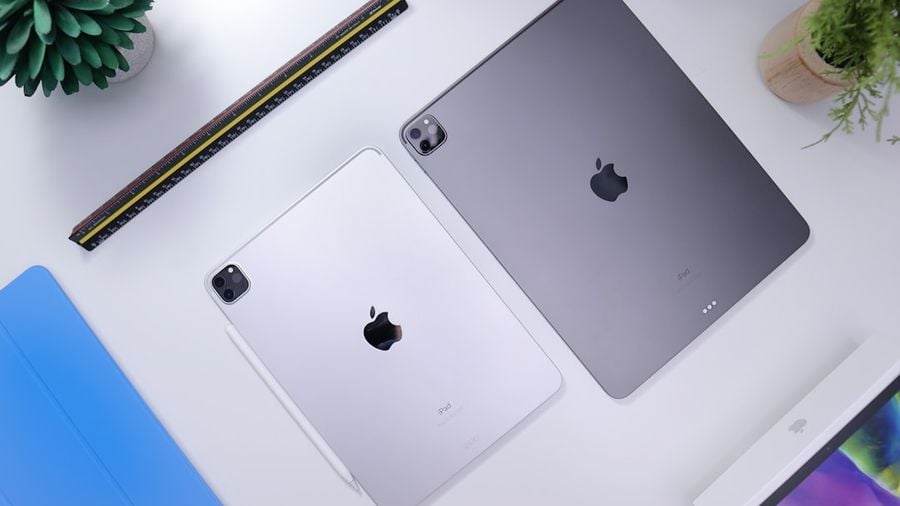
Daniel Romero via Unsplash
Apple $AAPL's iPad has long been one of the most popular tablets in the United States, with data showing that nearly half the population owns one. For first-time buyers, one of the most common decisions is whether to choose the iPad Air or the iPad Pro.
When it comes to iPad Air vs. iPad Pro, the Air is more than powerful enough for basic creative projects and perfect for word processing and entertainment. And then there’s the Pro, an entirely different beast, packing a desktop-class processor and a display that rivals high-end TVs. The Pro is aimed at users who need their tablet to perform like a laptop.
So, it’s not necessarily a question of which is the best iPad — it's about what you need it for and how much you’re willing to spend. Are you looking for an ultraportable work and entertainment hub, or do you need a tool for gaming, graphic design, making music, and watching TV and movies in the crispest, smoothest HDR? We'll break down the main differences in display and power to help you find your answer.
1 / 6
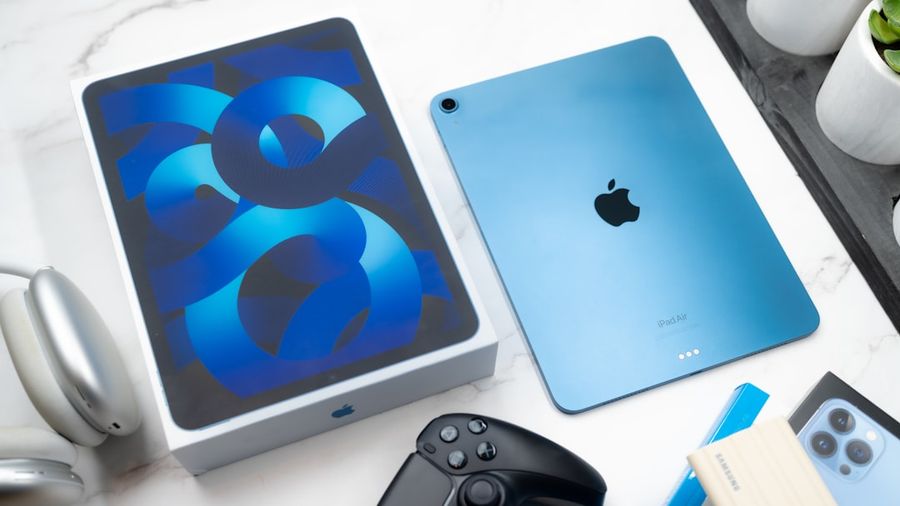
Jaime Marrero via Unsplash
At a glance, the iPad Air and iPad Pro look like they’re cut from the same aluminum cloth, but how you interact with them and what you see on the screen can be vastly different. The Air is designed for portability. It’s lighter and more compact, making it easy to slip into your bag and go. The Pro often comes in larger, heavier sizes, offering an expansive canvas that feels less like a tablet and more like a portable laptop.
The biggest difference you’ll see is the screen technology. The Air’s Liquid Retina display is sharp, colorful, and a joy to use for everything from watching movies to browsing the web. For many people, it’s more than enough.
The Pro’s display is in another league entirely. It uses advanced panel technologies, such as OLED or XDR (which varies by model/year), to deliver stunning contrast. This means you get highlights that pop off the screen and perfect, inky blacks instead of dark grays.
Then there's the Pro’s secret weapon, ProMotion. It doubles the screen's refresh rate compared to the Air, making every scroll and swipe feel incredibly fluid. For artists, the near-zero lag when using an Apple $AAPL Pencil is a game-changer.
How you unlock your iPad also differs. The Air cleverly tucks Touch ID into the top button — a quick, reliable fingerprint scan that’s become second nature to many. The Pro uses Face ID, which scans your face to unlock the device for a seamless, hands-free experience. It’s a small difference, but one you’ll notice every day.
2 / 6
The iPad Air's Apple $AAPL silicon chip flies through most daily tasks. It handles editing large photo libraries in Affinity Photo and sketching in Procreate with dozens of layers with fluid, responsive ease. The Air has more than enough power for a wide range of creative and professional tasks.
The iPad Pro is engineered for a higher level of complexity and scale. It runs on Apple's top-tier silicon, paired with more RAM, which makes a real difference when your projects get bigger. If you’re making videos with multiple effects and color grades, 3D scenes with complex textures, or music projects running dozens of live plug-ins, this is the tool for you.
Pro-level power also means endurance. The iPad Pro sustains performance during long, intensive tasks. While both iPads are incredibly efficient, the Pro offers more headroom for marathon sessions such as rendering a final architectural model or compiling a large app, maintaining consistent speed from start to finish.
The right choice really comes down to matching the hardware to the complexity of your work.
3 / 6
You might not buy an iPad to replace your main camera, but the tablets’ cameras and mics are still useful for video calls and creative projects. The iPad Air features a high-quality camera system that's perfect for its core audience. The rear camera is great for scanning documents or snapping a quick reference photo, while the front-facing camera is excellent for clear, crisp video calls.
The Pro takes this a step further, treating its camera system as a professional tool. It often includes multiple lenses, such as an Ultra Wide, giving you more creative flexibility. Some models also add a LiDAR scanner, which opens up powerful possibilities for augmented-reality apps in fields such as interior design or 3D modeling.
Both include Center Stage, which cleverly keeps you perfectly framed as you move around during a video call.
Audio is another area where the Pro pulls ahead. The Air’s stereo speakers are clear and loud, great for personal viewing of YouTube or a TV show. The Pro’s four-speaker setup, on the other hand, creates a much wider and more immersive soundstage that can easily fill a room, making movies feel more cinematic.
The Pro also typically boasts a studio-quality microphone array, a feature that makes a noticeable difference if you’re recording a voice-over, podcast, or musical idea directly on the device.
4 / 6
Both the iPad Air and iPad Pro are engineered for all-day use, reliably offering around 10 hours of battery life for typical activities. Where they diverge is in connectivity.
Both use the versatile USB-C standard, but the port on the iPad Pro is significantly more powerful. It supports Thunderbolt, which gives way to blazing-fast data transfers from external hard drives and cameras.
It also enables the device to connect to a wider range of high-resolution external displays and accessories, a cornerstone of the professional workflow that the latest iPad Pro models are built around.
5 / 6
An iPad’s true potential is unlocked by its accessories, shifting it from a media device into a legitimate work tool. Both the Air and Pro support Apple $AAPL's stylus and keyboard accessories.
For instance, the Apple Pencil (especially the Pro-compatible version) lets artists preview a brushstroke before touching the screen or access shortcuts with a squeeze. Likewise, the Pro’s keyboard options deliver a more laptop-like typing experience, making it a convincing substitute during long writing sessions.
6 / 6
Ultimately, deciding between the iPad Air vs. the iPad Pro comes down to your needs and how you define value.
The iPad Air is positioned at a mid-range price point of $599, delivering an impressive package of performance and premium features for its cost. It’s a practical and powerful choice for students, writers, and on-the-go Netflix $NFLX lovers.
The iPad Pro starts at the significantly higher price point of $999, representing a serious investment in cutting-edge technology. Its value is unlocked by professionals — illustrators, video editors, 3D artists, and developers — who can make the most of its unmatched performance to streamline their workflows and create without compromise.
