
Credit: Pavel Danilyuk / Pexels
Your inbox is a first impression you send dozens of times a day. Every email you write — whether it's a quick reply to a colleague or a formal pitch to a client — communicates something about how you think, how you work, and whether you can be trusted with more responsibility. The problem is that most people never learn to write professional email deliberately. They learned by imitation, copying the styles of people around them, absorbing habits good and bad, and never stopping to examine whether what they're doing is actually working.
Email remains the dominant communication tool in most workplaces. Despite decades of predictions that it would be replaced by Slack $WORK, Teams, or whatever platform came next, it has held on because it's universal, asynchronous, and creates a record. That durability means the stakes are real. A well-crafted email thread is evidence of your thinking. A sloppy one is also evidence of your thinking — just not the kind you want on file.
The habits that make email feel professional are not about formality for its own sake. They're about clarity, consideration, and control. A professional email gets to the point without being curt. It anticipates the reader's questions before they have to ask. It makes it easy for the other person to say yes, take action, or understand what's being asked. None of that requires elegant prose or elaborate grammar — it requires thinking about the reader before you hit send.
What follows is a set of specific habits, developed over time, that shift how people perceive your email communication. Some involve mechanics — how you structure a subject line or when to use reply-all. Others involve judgment — when to escalate tone, when to keep things short, when not to send an email at all. Together, they form the kind of communication style that makes people trust you with more, recommend you to others, and think of you as someone who has their act together.
These habits are not about performing professionalism. They're about removing the small frictions and signals of carelessness that undermine your credibility, often without your realizing it. The goal is a version of your email communication that reliably says: this person is thoughtful, reliable, and worth taking seriously.
1 / 20

Credit: www.kaboompics.com / Pexels
The subject line is the most underused real estate in professional email. Most people treat it as a label — a vague category like "follow-up" or "question" or "checking in." None of those tell the reader anything useful. A subject line should function like a headline: it should convey the key information, the action required, or the nature of the message in specific enough terms that the reader knows exactly what they're opening before they open it.
The difference between "Follow-up" and "Follow-up: Decision needed on vendor contract by Friday" is the difference between an email someone might defer and one they will act on. The first gives the reader nothing. The second tells them there's a deadline, there's a decision involved, and the topic is a vendor contract. They can triage it accurately. They can loop in the right people. They can come prepared to respond.
A strong subject line also helps you. When you need to find an email six months later, a specific subject line is searchable. When someone is sorting through a long thread, a clear subject makes it easy to find the relevant exchange. The habit of writing informative subject lines benefits everyone in the thread, not just the original recipient.
There are a few patterns worth practicing. For emails that require action, front-load the action: "Approval needed," "Input requested," "Decision due." For updates that require no response, signal that too: "FYI: Project X $TWTR timeline has shifted." For meeting requests, include the date and topic in the subject so the recipient doesn't need to open the invitation to understand what's being asked. For sensitive topics or complex discussions, a subject like "Proposal: restructuring the Q3 review process" gives the reader a moment to prepare rather than being ambushed.
The test is simple: read your subject line and ask whether someone reading it — without any other context — would know what kind of email this is, what it requires of them, and roughly what it's about. If the answer is no, rewrite it. The extra 30 seconds it takes to craft a real subject line will save you time and signal to your reader that you value theirs.
Subject lines in all caps, excessive punctuation, or vague urgency words like "URGENT!!!" undermine the professional effect immediately. Urgency should be communicated through the content and, when genuinely warranted, through the actual words in the subject line — not through visual shortcuts that read like spam.
2 / 20

Credit: RDNE Stock project / Pexels
The first line of an email is where most professional communication loses momentum. The standard opener — "Hope you're doing well," "Hope this finds you," "Hope you had a great weekend" — has been written so many times it carries no meaning. The recipient reads it without registering it, and your actual message is delayed by a sentence that contributes nothing.
This is not an argument against warmth or courtesy. It's an argument for efficiency. A professional email can be friendly and direct at the same time. The way to do that is to lead with your purpose and let the tone of how you say it carry the warmth.
"I wanted to follow up on the proposal we discussed last Tuesday — do you have time for a 20-minute call this week to go over next steps?" is both professional and personable. It respects the reader's time by getting immediately to the point. It doesn't need a preamble.
When a warmer opening genuinely adds value — such as acknowledging something the person just shared or returning from a long absence — write something specific rather than generic. "Congratulations on the product launch — I saw the announcement and it looked like a strong rollout" is warmer and more credible than "Hope you're doing well," because it demonstrates that you're actually paying attention.
The opening line also sets the tone for everything that follows. If the first sentence is vague and padded, it signals that the rest of the email might be too. A sharp, direct opening tells the reader: this message has a purpose and I know what it is.
One practical habit: draft your email body first, then go back and write the opener. When you start with the opener, you're often warming up your own thinking on the page rather than writing for the reader. Once the content is clear, you can return and write an opening that fits the situation — specific, purposeful, and free of filler.
For internal emails where you have an established rapport with the recipient, you can often skip the opener entirely. Starting with "Can you review the attached draft by Thursday?" is not rude — it's respectful of both your time and theirs.
3 / 20
Credit: Canva Images
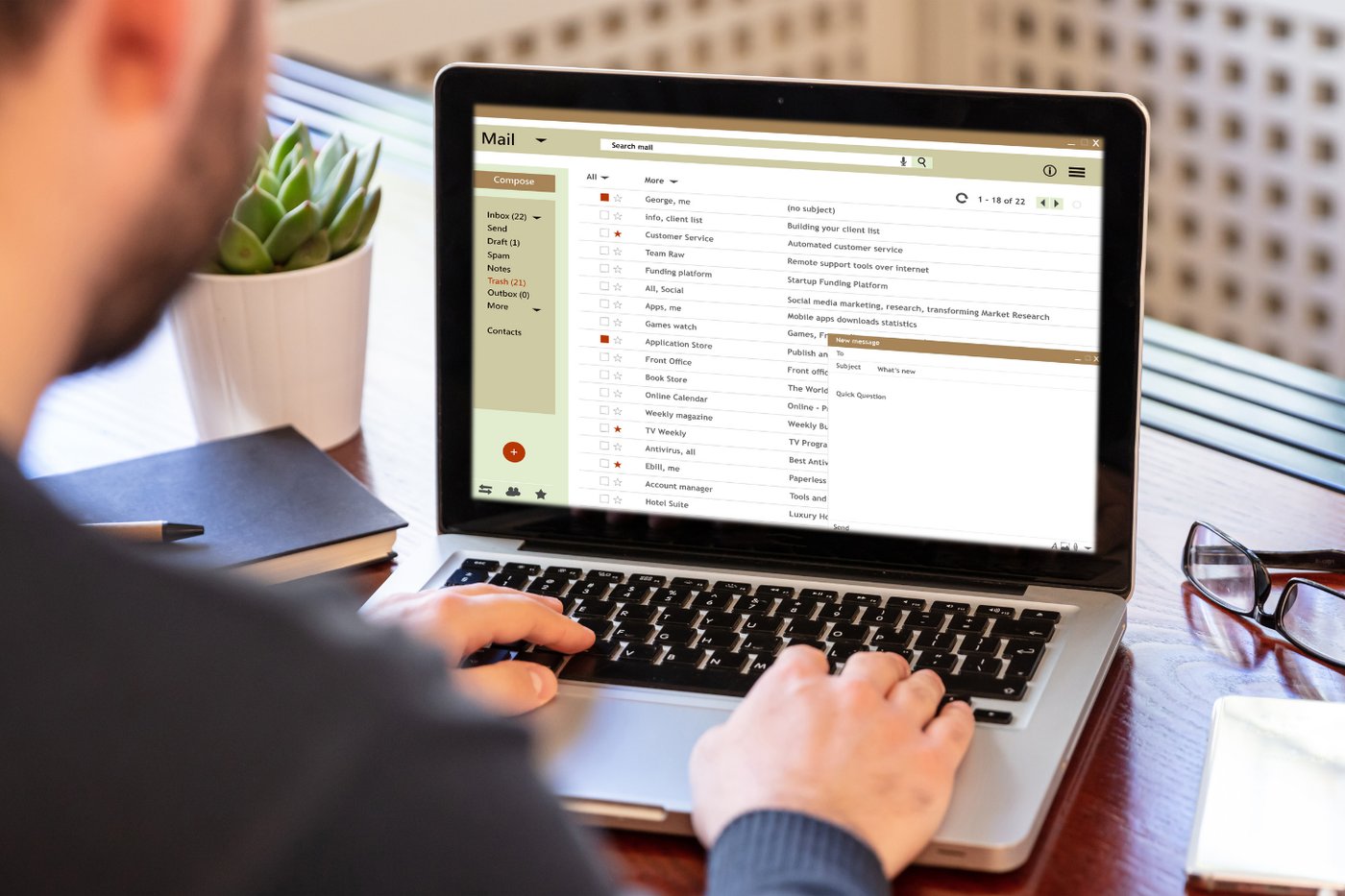
One of the most reliable markers of a well-written professional email is that the core request or point appears early — ideally in the first paragraph, and certainly before the second. This is the opposite of how many people write emails, which is to build up context, explain the background, lay out the history, and then finally arrive at what they actually want.
That structure works in academic writing, where you establish your argument before stating your conclusion. It does not work in business email, where the reader is scanning for relevance and may not reach the bottom of a long message before triaging it to "deal with later."
The principle is called bottom-line-up-front, and it's a standard in many high-functioning organizations for exactly this reason. State what you need, then provide the context that supports it. "I'd like your sign-off on the revised vendor contract by Wednesday. I've attached the updated version — the main change from last week is the liability clause in section four, which legal has approved."
That structure gives the reader immediate orientation. They know what you want, they know the timeline, and they know what to look for. If they have only two minutes, they can act on that. If they have more time, they can read the detail. The context doesn't disappear — it just moves to its proper place, which is after the point, not before it.
This habit also forces you to clarify your own thinking before you write. Many emails that bury the ask do so because the writer hasn't yet decided what exactly they're asking for. If you find yourself writing a long preamble and struggling to get to the point, that's often a signal that you need to stop and decide what the actual request is before continuing.
There are rare cases where context must come first — when delivering difficult news, for example, or when you need to establish the stakes before proposing a course of action. In those situations, the first paragraph can be context, but the ask or action point should still appear at the close of that paragraph rather than at the very end of the email.
4 / 20

Credit: Canva Images
The CC field is responsible for more inbox clutter, more unnecessary reply-alls, and more organizational noise than almost any other email habit. It is also one of the clearest signals of how well someone understands professional communication. Getting it right requires understanding a distinction that many people never articulate: the difference between who needs to act and who needs to know.
The To field is for the people who need to do something. They are the primary recipients — the ones who should reply, take action, or make a decision. The CC field is for people who should be informed but are not expected to respond. If you're sending a CC to someone and hoping they'll do something, they should be in the To field instead.
The BCC field exists for situations where you want to include someone in the exchange without the other recipients knowing they're included. This is appropriate in limited circumstances — forwarding a thread to a manager for context on a sensitive situation, for example. Using BCC to covertly include people in normal business correspondence reads as passive-aggressive or politically manipulative to anyone who figures it out.
Over-CCing is a common mistake. It creates work for people who don't need to be involved, signals insecurity about whether you have authority to act, and often results in reply-all threads that waste everyone's time. Before adding someone to CC, ask honestly: does this person need to know about this exchange? If the answer is "maybe," the right move is usually to leave them off and forward a summary separately if it becomes relevant.
Under-CCing is also a mistake, though a less common complaint. When a relevant stakeholder is left off a thread, they have to be looped in later with a recap, which wastes more time than including them correctly from the start.
A clean CC habit also means removing people from threads as a conversation narrows. If you started an email to six people and the exchange has now become a two-person negotiation on a specific clause, consider moving to a new thread that includes only the relevant parties rather than continuing to reply-all to the original group.
6 / 20
Credit: Canva Images
Reply-all is a reflex for many people, but it should be a deliberate choice. Before hitting reply-all, the question to ask is whether everyone on the original thread actually needs to see your response. In most cases, they don't.
When you reply-all to thank someone for their message, to confirm receipt, to add a minor clarification, or to have a side conversation with one person on a thread, you're adding noise to the inboxes of everyone on the list. In a thread of 20 people, a reply-all for a "thanks, noted!" response generates 20 individual notifications and 20 emails that have to be opened and processed. That's a meaningful cost imposed on other people's time for no real benefit.
The reply-all habit is especially problematic in large organizational email chains. All-staff announcements, company-wide updates, and department-wide threads are particularly vulnerable to the reflexive reply-all, where a single person's "thanks for sharing!" triggers a cascade of similarly unnecessary responses.
When you do need to respond to multiple people, reply-all is the right choice. If everyone on a thread needs your answer, loop everyone in. If you have a question that's relevant to the group, reply-all. If you're summarizing a decision that all parties should know about, reply-all. The test is not the size of the group — it's whether the group actually benefits from seeing your specific response.
Developing the habit of pausing before hitting reply-all takes time, because the button is designed for speed. One way to build this habit is to always open the recipient list before sending and consciously verify that every person listed needs to receive your reply. This takes five seconds and prevents you from creating unnecessary work for your colleagues.
In organizations where email volume is a known problem, exercising restraint with reply-all is noticed and appreciated by people who are drowning in email. It's a small habit with a real positive effect on the people you work with.
7 / 20

Credit: Vlada Karpovich / Pexels
Every email you send is a written record of how you think and communicate. Typos, grammatical errors, wrong names, and inconsistent capitalization are all visible, and they undermine the credibility of the content even when the content itself is sound. A well-reasoned argument that arrives with three typos and a misspelled name looks less authoritative than it should.
Proofreading before sending is not about perfectionism. It's about respect for the reader and for the work you've put into the message. An email that required ten minutes of thought and drafting should not be sent without two minutes of review.
The most common errors are not grammatical — they're logical and factual. Sending an email that references the wrong date, the wrong person's name, the wrong attachment name, or the wrong version of a number can create real confusion and require a correction email that opens with an apology. The time cost of a follow-up correction almost always exceeds the time cost of catching the error before sending.
A practical proofreading approach: after drafting, read the email from the bottom up. Reading in reverse order breaks the cognitive fluency effect, where your brain fills in what it expects to see rather than what's actually there. This technique is particularly useful for catching repeated words, dropped words, and wrong numbers.
For important emails — anything with a client, a senior leader, or a sensitive topic — read it aloud before sending. You'll catch awkward phrasing, run-on sentences, and tonal issues that silent reading misses.
If you use autocorrect or predictive text, build in the habit of reading every autocorrected word individually. Autocorrect errors are among the most embarrassing because they sometimes change meaning entirely — "public" becoming something else, a name being "corrected" to a different name, a technical term being replaced with a common word.
Proofreading also catches formatting errors: attachments that weren't attached, links that aren't working, subject lines that still say "draft" from when you were composing. Five minutes of review before sending is a reliable investment.
8 / 20

Credit: Vagaro / Unsplash
Your email signature is a small piece of real estate that tells the recipient who you are, how to reach you, and what you do — without requiring them to search or ask. A professional signature typically includes your full name, your title and organization, and your primary phone number. That's generally enough.
What distinguishes a professional signature from an unprofessional one is not elaborateness — it's clarity and restraint. A signature with your name, title, company, and one phone number serves the reader. A signature with three phone numbers, a fax number, a physical address, four social media icons, a motivational quote, and a legal disclaimer in small print serves no one efficiently.
Inspirational quotes in email signatures are a specific pattern worth avoiding. They often come across as preachy or self-important, and they tend to distract from the actual content of the email. Your professional credibility comes from the substance of your communication, not from an attributed quote below your name.
The same logic applies to images in signatures. Logos can be appropriate in client-facing contexts where brand identity matters. Headshots in signatures are common in some industries — real estate, consulting, client services — where personal recognition is part of the professional relationship. In many other contexts, they are unnecessary and can cause email clients that block images to display a broken image icon, which looks worse than no image at all.
Keep your signature consistent across all professional email you send. Inconsistency — using a full signature in some contexts and no signature in others, or having different information in different accounts — signals a lack of attention to detail.
Update your signature when your information changes. An email signature with an outdated title or phone number is worse than no signature, because it creates confusion and requires the recipient to do extra work to reach you. Build the habit of reviewing your signature any time your role, organization, or contact information changes.
9 / 20

Credit: Vitaly Gariev / Unsplash
Email tone is not fixed — it should vary based on who you're writing to and what the situation calls for. A message to a close colleague you've worked with for three years can be casual, brief, and conversational. A message to a new client, a senior leader, or someone you've never communicated with before warrants more formal construction, more explicit context, and more careful language choices.
The failure mode in both directions is common. Writing too formally to a colleague you see every day creates unnecessary distance and can feel stiff or even passive-aggressive. Writing too casually to a new client or someone senior to you reads as presumptuous or careless.
Calibrating tone starts with asking who is reading this and what relationship we have. From there, the adjustments are usually minor. A slightly more formal greeting — "Dear" versus "Hi" — sets a different register. More explicit context in the opening — "I'm reaching out regarding the partnership inquiry you sent last week" — signals care for someone you don't know well. A more conversational closing — "Let me know if you have questions" versus "Please do not hesitate to contact me" — signals ease with someone you know well.
Context also matters within a single relationship. Even with a close colleague, an email discussing a performance issue, a complaint about a client, or a sensitive organizational change should be written with more care and formality than your typical exchange. The seriousness of the subject warrants it, and the written record means the tone will be readable long after the conversation itself is over.
One calibration that many people miss is adjusting to the recipient's preferences. Some people are curt by default and prefer short emails. If you send that person long, context-heavy messages, you're creating friction. Some people are more formal and respond better to structured communication. Paying attention to how someone writes to you — and mirroring that style to a degree — is a mark of communicative intelligence.
10 / 20

Credit: Canva Images
An email that doesn't make clear what it wants from the reader is an email that often gets no response or a confused response. The call to action — the specific thing you're asking the recipient to do — should be explicit, not implied. This is true even when the ask feels obvious to you.
The most common failure here is ending an email with a vague closer like "Thoughts?" or "Let me know." Those phrases push the interpretive work onto the recipient, who now has to figure out what kind of "thoughts" you want and in what form. A clear call to action removes that ambiguity: "Could you review the attached and let me know by Wednesday if the budget allocation looks right to you?" That sentence tells the reader exactly what they're reviewing, what judgment they're making, and by when.
For complex emails with multiple asks, it helps to separate each one clearly so none gets overlooked. This doesn't require bullet points — you can signal distinct asks through paragraph breaks and specific language: "I have two things I'd like your input on. The first is the timeline in section three — does that match your team's availability? The second is the pricing language in the proposal, which may need to be simplified for the client."
That approach is clearer than a single paragraph that buries two requests in flowing prose, where the reader might answer one and not notice the other.
Urgency in calls to action should be reserved for situations that are genuinely urgent. If every email you send includes language like "as soon as possible" or "at your earliest convenience," those phrases lose meaning and start to read as low-grade pressure rather than real urgency. Reserve explicit urgency language for situations where timing genuinely matters, and trust that a well-stated deadline will communicate the stakes.
After writing your email, re-read the last paragraph and ask whether a reader who skimmed the message would know exactly what they need to do. If the answer is no, revise until it is yes.
11 / 20

Credit: MART PRODUCTION / Pexels
Email is permanent. Whatever you write is now a record that can be forwarded, screenshotted, printed, or subpoenaed. Sending an email while angry, frustrated, or defensive can create consequences that far outlast the original feeling. This is one of the clearest reasons to develop the habit of not sending emotionally charged emails immediately.
The practical approach is the draft rule: any email written in a heightened emotional state should sit in the drafts folder for at least an hour before you decide whether to send it. An hour of distance is often enough to read the email and recognize that it would cause more problems than it solves. You may still send it, but you'll send a cleaner, more measured version.
This is particularly important for any email that involves conflict, criticism, complaint, or disagreement. The strength of an argument delivered in email is in the quality of the reasoning, not in the strength of the language. Strong language — words like "unacceptable," "outrageous," "appalled" — tends to put the reader on the defensive immediately, which makes them less likely to hear the substance of what you're saying. A measured, specific, factual account of a problem is more persuasive and more professional than an emotional one.
Email is also not the right medium for all difficult conversations. Some conflicts genuinely need to happen in person or on a call, where tone, context, and real-time response are possible. The professional judgment to pick up the phone rather than escalating an email thread is a sign of maturity and good communication instincts. If an email exchange is becoming tense or unproductive, proposing a call is often the most effective move.
When you do need to raise a concern or disagreement in writing, the most effective formula is factual and solution-oriented. State the situation clearly, describe the impact, and propose a path forward. Avoid language that assigns blame or character assessments. Keep the focus on the work, not on the person.
12 / 20

Credit: Canva Images
Most professional email recipients don't read every word of every email. They scan for the key information — the ask, the deadline, the relevant data point — and then read more closely where it's needed. If your email is not formatted in a way that supports that scanning behavior, important information gets missed.
Formatting for scannability in email doesn't mean creating elaborate layouts with headers and color-coded text. It means using paragraph breaks intentionally, keeping paragraphs short, and structuring the email so that the most important information appears where a scanner's eye will fall.
Paragraph length matters significantly. A wall of text — four or five sentences packed into a single block — is harder to scan than the same content broken into two-sentence paragraphs. In professional email, a paragraph that runs more than three or four sentences is usually a candidate for breaking up.
When an email genuinely contains multiple distinct pieces of information that need to be tracked separately — a list of action items, a set of questions, a breakdown of deliverables — numbered or bulleted formatting is appropriate and helpful. But using bullet points as a default style for all emails creates a fragmented, clinical tone that isn't appropriate for every context.
White space is not wasted space. A line break between topics signals to the reader that a new subject is beginning. It lets them pause, process, and move forward. Removing white space to make an email look compact actually makes it harder to read.
For complex or multi-part emails, a brief summary at the beginning or end of the email can help. "Three items below: the revised timeline, the updated budget, and a question for you on vendor approval" functions as a map that helps the reader navigate the rest of the message.
One thing that consistently hurts scannability is the habit of burying critical information in the middle of a long paragraph. The beginning and end of paragraphs are where readers pay most attention. Put the key information there, not in the middle.
13 / 20

Credit: Thirdman / Pexels
Some of the most professional email behavior happens when you decide not to send an email at all. There are situations where email is the wrong tool — where a phone call, a direct message, an in-person conversation, or no communication at all would serve the situation better.
Email is inefficient for conversations that require back-and-forth. If you anticipate more than three or four exchanges on a topic, a brief call will usually resolve it faster and with less room for misunderstanding. Scheduling three rounds of email to coordinate a meeting time when a single phone call or a shared calendar tool would take 30 seconds is a poor use of everyone's time.
Email is also the wrong medium for highly sensitive information. Personal matters, HR-related concerns, legal negotiations, confidential organizational decisions — these conversations belong in settings where the audience is controlled. Email travels. It can be forwarded to people you didn't intend to receive it. It can persist in places you didn't expect. If you wouldn't be comfortable with a wide audience seeing the content, reconsider putting it in email.
Chain emails, forwarded jokes, and non-work-related content sent to professional contacts are another category of email that does more harm than good to your professional image. What feels like a friendly gesture can come across as an intrusion on someone's work time or as poor judgment about what belongs in a professional channel.
There is also a category of email that is generated by habit rather than necessity. The thank-you email that adds nothing new, the follow-up to a follow-up that isn't needed yet, the FYI that no one needed to be informed of — these create noise and dilute the signal value of your emails. When your name appears in someone's inbox, they should have learned over time that it's worth opening. That reputation is built by sending emails that matter.
14 / 20

Credit: Petra Ryan / Pexels
Long emails are not more thorough than short ones — they're often less. A long email that could have been three sentences is not demonstrating depth of thought. It's demonstrating an inability to edit. The professional skill is to communicate exactly what's needed and nothing more.
This habit is particularly worth developing because the pressure to write long emails is real. There's a psychological pull toward over-explaining, toward anticipating every possible question, toward adding caveats and background that feels useful to include. But most of the time, that extra material is padding that makes the email harder to process.
The editing discipline that produces tight email is the same discipline that produces good writing in any form: write what you have to say, then cut everything that doesn't serve the communication. If a sentence is restating something you already said, cut it. If a paragraph is providing context the reader already has, cut it. If a qualification is not genuinely necessary, cut it.
Short emails are also easier to respond to. A three-sentence email with a clear question usually gets a faster, more focused response than a ten-paragraph email with multiple embedded questions and a long preamble. The length you impose on your reader on the outgoing end often determines the friction you experience on the incoming end.
There are email contexts where length is genuinely warranted. A formal business proposal, a detailed project brief, a complex technical explanation — these benefit from completeness. But even in those contexts, the goal is completeness, not volume. Every paragraph should add something that the previous paragraphs didn't.
One practical approach: after drafting any email over five sentences, read it once more with the sole purpose of finding things to cut. Aim to reduce it by at least 20 percent. In most cases, what you cut will not be missed.
15 / 20

Credit: Vitaly Gariev / Pexels
Email handles nuance poorly. Sarcasm is often missed. Tone is easily misread. The absence of body language and vocal inflection means that words carry the full weight of meaning, and words chosen carelessly can cause real damage to professional relationships.
When an email needs to handle a sensitive topic — a mistake, a disappointment, a disagreement, a change in expectations — word choice matters more than usual. The goal is to communicate clearly without creating defensiveness or ambiguity that leads to further conflict.
Passive voice is often used to soften difficult messages, but it frequently introduces ambiguity that makes things worse. "The deadline was missed" is passive in a way that raises questions: by whom? why? Specific, active language — "The team missed the Friday deadline, which pushed the client presentation by a week" — is clearer and, paradoxically, easier to work with because it doesn't require anyone to decode what you're actually saying.
Precision matters especially with numbers, dates, names, and responsibilities. Vague language like "around the end of the month" or "someone on your team" creates room for misinterpretation. When there's a specific date, say the date. When there's a specific person responsible, name them.
When raising a concern about someone's work in writing, focus entirely on observable behaviors and outcomes rather than on character or intent. "The report submitted on Monday was missing the cost breakdown in section two, which we need before we can present to the client" is fair and actionable. "You don't seem to be taking this seriously" is neither.
Precision in sensitive email also means reading what you've written as if you were the recipient seeing it for the first time. What assumptions does this email make that may not be shared? What implications might the reader draw that you didn't intend? What tone will they hear in these words? Running through those questions before sending can prevent a lot of unnecessary conflict.
16 / 20

Credit: Canva Images
Email threads can become unwieldy quickly — they accumulate participants, drift off topic, and develop a subject line that no longer reflects what's actually being discussed. Managing threads well is a professional habit that keeps conversations productive and makes them usable as a record.
One common mistake is letting a thread continue on a topic that has changed significantly from the original subject. If you're three days into an email thread that started as "Q3 budget approval" but is now entirely about a vendor dispute, start a new thread with a subject line that reflects the current conversation. This keeps the record clean and makes both exchanges searchable by their actual topics.
When joining an existing thread, take a moment to read the full history before responding. Jumping in without reading the thread and asking a question that was already answered two messages earlier wastes everyone's time and signals that you haven't done the work to get up to speed.
For long threads with many participants, a brief recap at the start of your response is useful when you're summarizing a decision or wrapping up a discussion: "To summarize where we've landed: the project will proceed with vendor A, the contract will be signed by the end of this week, and the project manager will send a kickoff schedule by Monday." That kind of summary reduces the need for participants to parse the full thread and ensures that the decision is clearly on the record.
When forwarding a thread to someone new, don't drop them into the full history without context. Add a brief note at the top explaining why you're forwarding it and what, if anything, you need from them. "FYI — looping you in on the vendor discussion. No action needed from you right now, but wanted you to have visibility" is much more considerate than a silent forward that leaves the new recipient to figure out why they're on the thread.
Trimming quoted text in replies is another underused thread-management habit. In most email clients, replying includes the full original message by default. For long threads, this creates massive scrolling histories. Cutting the quoted text down to just the relevant portion keeps replies focused and readable.
17 / 20

Credit: Canva Images
Most email clients offer a way to flag messages as high priority — a red exclamation mark, a "High" importance label, or similar. This feature was designed for genuinely time-critical communication. When used routinely, it loses its signal value entirely.
A professional who marks every email as high priority is a professional whose "high priority" emails get treated the same as everyone else's normal emails. The flag becomes noise. The reader learns to ignore it. At that point, you've lost the one tool you had to flag genuinely urgent messages as different from everything else.
The same logic applies to urgency language in subject lines and email bodies. "URGENT" in a subject line has a short shelf life. Used consistently for requests that aren't actually urgent, it trains the reader to dismiss it. Overuse also carries a subtle implication that you don't trust the other person to handle normal timelines responsibly — that you need to escalate every request in order to get appropriate attention.
Reserve urgency markers for situations where the stakes and the timeline are both genuinely high: a system is down and affecting clients, a contract signature is needed today to meet a regulatory deadline, a crisis is developing and a decision must be made in the next hour. In those situations, flagging urgency is appropriate and effective.
For requests that are important but not truly time-critical, a well-crafted subject line with a specific deadline — "Budget review: approval needed by Thursday EOD" — communicates the stakes clearly without the hyperbole of an urgency flag. That approach is more credible, more specific, and more likely to produce the result you need.
Building a reputation for accurate urgency signals is valuable. When you do flag something as genuinely urgent, people respond accordingly because they trust that you don't cry wolf.
18 / 20
-1920x1440.jpg)
Credit: Luis Cortes / Unsplash
Email is an asynchronous medium, which means the timing of when you send a message doesn't have to match when the recipient reads it. But the time stamp on your email communicates something anyway, and what it communicates depends on the relationship and the context.
Sending a non-urgent email at 11pm on a Sunday says something. It may signal that you work around the clock. It may signal that you expect others to as well. In some organizational cultures, weekend and late-night emails are normalized. In others, they're experienced as pressure to be always available — a pressure that affects morale and work-life balance.
Many email clients now offer a "send later" or scheduled send feature for exactly this reason. If you draft an email at 10pm but it doesn't need to arrive until 9am the next morning, scheduling the send costs you nothing and signals to the recipient that you're thoughtful about their boundaries.
This matters more, not less, across time zones. If your team or clients span multiple time zones, what's a reasonable morning send-off in one location can land in someone's inbox at midnight in another. Thinking through the local time of your recipient before sending — particularly for anything that might feel like it requires an immediate response — is a sign of global awareness and consideration.
The inverse is also true. Being responsive to emails received during your own working hours, while not responding to emails received outside of them, is a reasonable professional standard. Communicating those expectations clearly — in an out-of-office message, in a team norm discussion, or through consistent behavior — helps set expectations.
When a genuinely urgent situation requires contacting someone outside their working hours, the right approach is usually a phone call or a direct message, not an email. Email does not carry the immediacy that an after-hours situation warrants, and using the right channel for the right urgency level is part of professional communication judgment.
19 / 20

Credit: Canva Images
The email sent without the promised attachment is one of the most universal professional embarrassments. It happens because the habit of writing the email and the habit of attaching the file operate independently in most people's workflow — one is writing, the other is a separate step, and the separate step gets missed.
There are a few techniques to close this gap. One is to attach the file before writing the email. This inverts the usual sequence and ensures the attachment is always present before you have the chance to send without it. Another is to mention the attachment in the first line of the email, which prompts a reminder when you review the message before sending.
Beyond the basic mistake of forgetting attachments, there are several habits around attachments that distinguish professional from unprofessional email. File naming is one. An attachment named "final_v3_revised_FINAL2.docx" signals poor version control and creates confusion about which version is actually current. Professional file names are descriptive, dated, and clear: "ProjectProposal_ClientName_2025-03.docx."
File size is another consideration. Attachments over 10MB are a nuisance in most email environments — they slow transmission, clog inboxes, and often exceed attachment limits. Large files should be shared via a link to a shared drive, cloud storage, or file-transfer service rather than sent as email attachments. This is especially important for images, videos, and large spreadsheets.
For sensitive documents, consider the access and security implications of email attachment. An email attachment can be forwarded. If a document contains confidential information, sending it as a link with access controls is more secure than sending it as an open attachment.
When sending multiple attachments, a brief note identifying each attachment and its purpose helps the recipient understand what they're receiving: "I've attached three files: the draft proposal, the budget breakdown, and the signed NDA from last year." That prevents the recipient from opening attachments without context.
20 / 20

Credit: Mina Rad / Unsplash
The way you close an email is the last thing the reader sees, and it shapes the final impression of the message. Like the opening, the closing should be functional — it should signal what happens next, if anything, and match the tone of the communication.
"Best regards," "Kind regards," and "Sincerely" are conventional closings that work for formal or first-contact emails. "Best," "Thanks," and "Cheers" are appropriate for less formal, internal, or established-relationship correspondence. The trap is using mismatched closings — ending a terse, efficient email with "Warmest regards" or ending a warm, detailed message with a clipped "Regards."
"Thanks in advance" is a closing to use carefully. Used when you have not yet received the help you're thanking someone for, it can read as presumptuous — as if the person has already agreed to do the thing you're asking. In contexts where it's natural and the relationship is established, it works. In contexts where you're asking a favor or making a request of someone who hasn't agreed, it's better to express gratitude conditionally: "I'd appreciate any help you can offer" or "Thanks for considering this."
The closing is also a place to set expectations about follow-up. If you've requested something and intend to follow up if you don't hear back, saying so is courteous: "I'll follow up next week if I haven't heard from you by then." That prevents the recipient from being surprised by a follow-up email, and it also holds you accountable to following through.
In very short, informal internal emails, no closing at all is acceptable. An email that asks "Can you send me the updated schedule?" doesn't require a formal close. But for any email of substance — anything that involves a client, a request, a decision, or a sensitive topic — a considered closing is part of the complete communication.
Your name at the end of an email is technically a courtesy when you have a signature block, but it personalizes the message and is standard practice. In casual internal exchanges, your first name alone is fine. In formal contexts or first contact, your full name is appropriate.